18
Step 2: Connecting the Projector
When making connections, be sure to do the following:
• Turn off all equipment before making any connections.
• Use the proper cables for each connection.
• Insert the cable plugs properly; poor connection at the plugs may cause a malfunction or
poor picture quality. When pulling out a cable, be sure to pull it out from the plug, not
the cable itself.
• Refer to the operating instructions of the connected equipment.
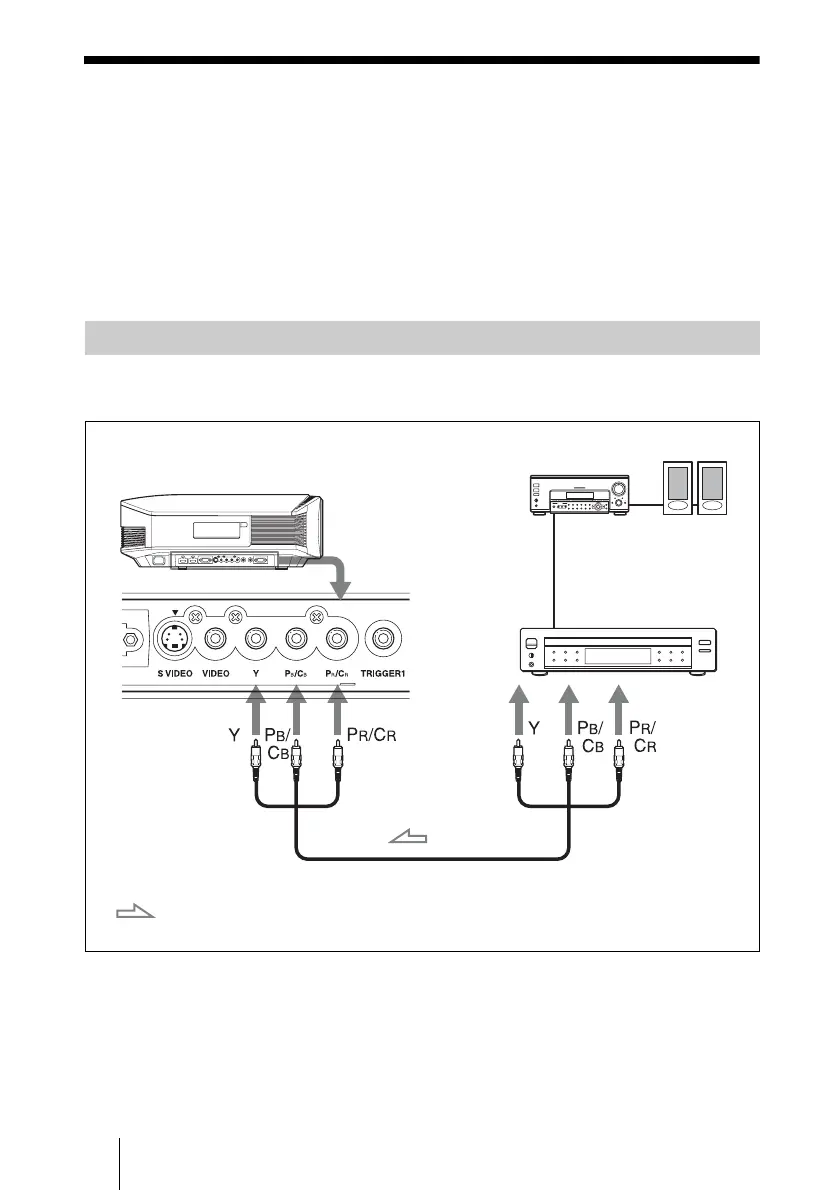
To connect to a DVD player/recorder or Blu-ray Disc player/recorder
equipped with component video connectors
Connecting to a VCR
Component video cable (not supplied)
: Video signal flow
DVD player/recorder,
Blu-ray Disc player/recorder,
etc., with component video
connectors
Right side of the projector
AV amplifier
Speakers



 To Next Page