22
Step 3: Adjusting the Picture Position
Project an image on the screen and then adjust the picture position.
Tip
The
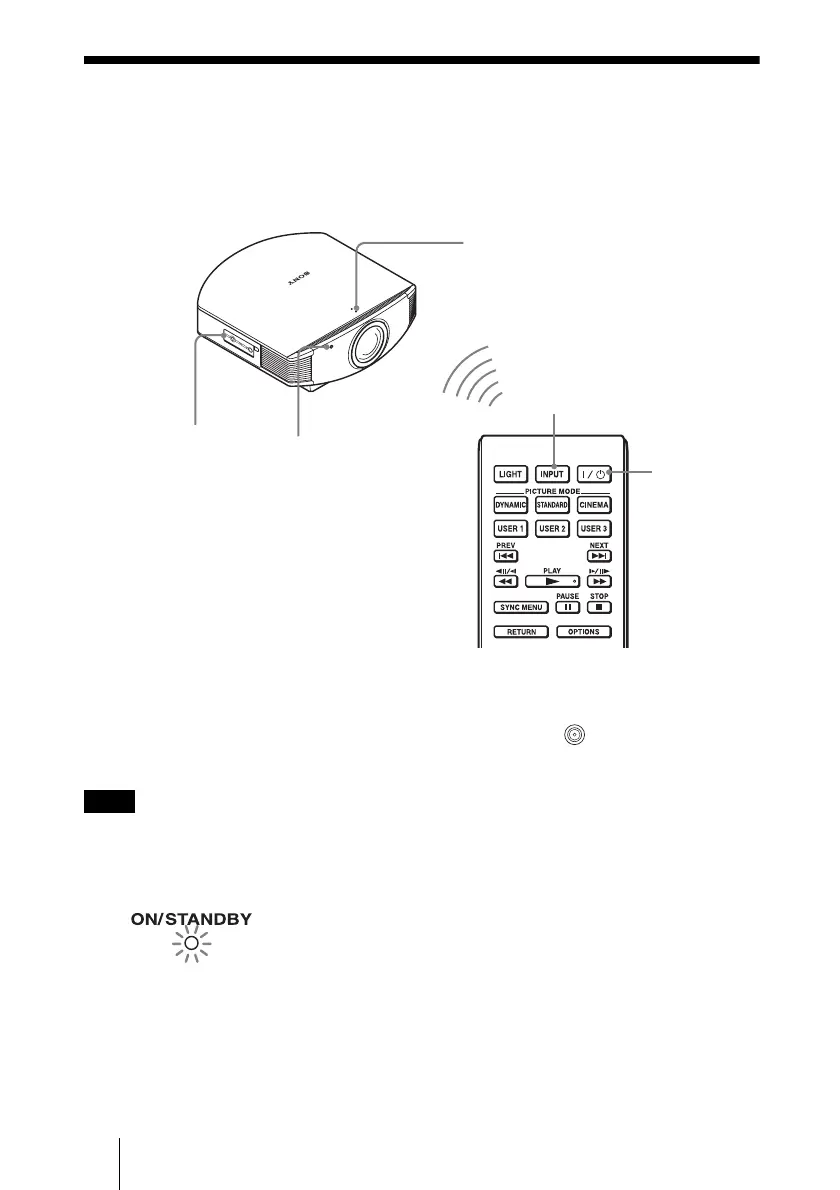
?/1 (ON/STANDBY), INPUT, LENS, MENU, and M/m/</,/ (joystick) buttons on the
side panel of the projector function the same as those on the remote control.
Depending on the installation location of the projector, you may not control it with the remote
control. In this case, point the remote control to the screen instead of the projector.
Note
1 After connecting the AC cord to
the projector plug the AC cord
into a wall outlet.
The ON/STANDBY indicator lights
in red and the projector goes into
standby mode.
ON/STANDBY indicator
Remote control
detector
4 INPUT button
5, 6, 7
Lens button
2
1
?/1 (On/
standby)
switch
Lights in red.



 To Next Page