NWZ-E435F / E436F / E438F.GB. 4-109-569-11 (1)
Playing Music
36
36
Playing a Playlist
You can play lists of songs (playlists). Also, you can create playlists using the
bundled Windows Media Player 11, or another transfer capable software.
However, some playlists may not be recognized by the player, depending on
software. For details on operation, refer to the Help or maker of the software.
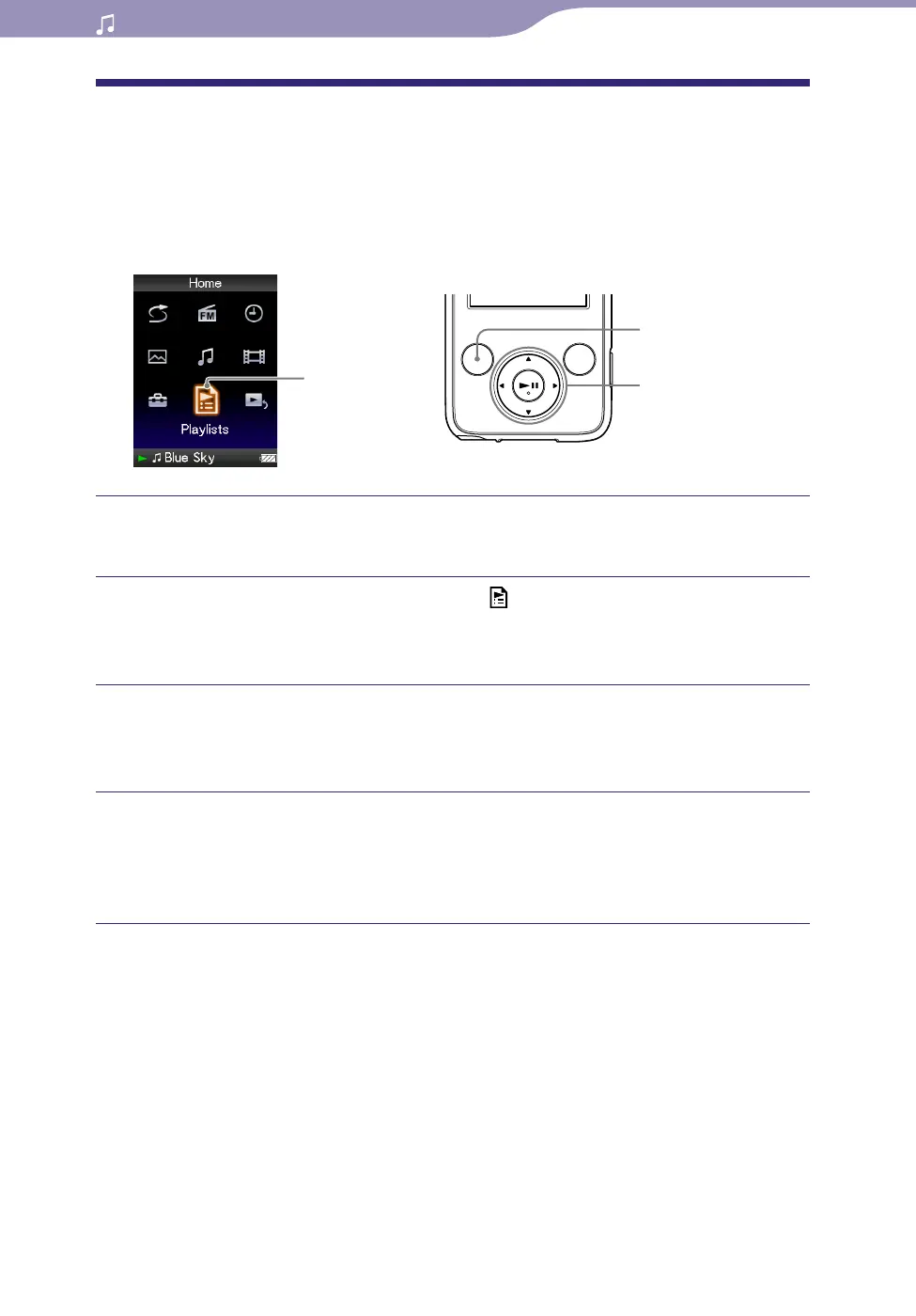
Playlists
5-way button
BACK/HOME
button
Press and hold the BACK/HOME button until the Home menu
appears.
Press the /// button to select (Playlists), and then press the
button to conrm.
The list of playlists appears.
Press the /// button to select a playlist, and then press the
button to conrm.
The song list appears.
Press the /// button to select a song, and then press the
button to conrm.
The song you selected starts to play back and the playback of songs
continues in order.










 To Next Page