68
68
NWZ-E435F / E436F / E438F.GB. 4-109-569-11 (1)
Listening to FM Radio
Presetting Broadcast Stations Manually
You can preset broadcast stations which “Auto Preset” cannot detect (
page
66).
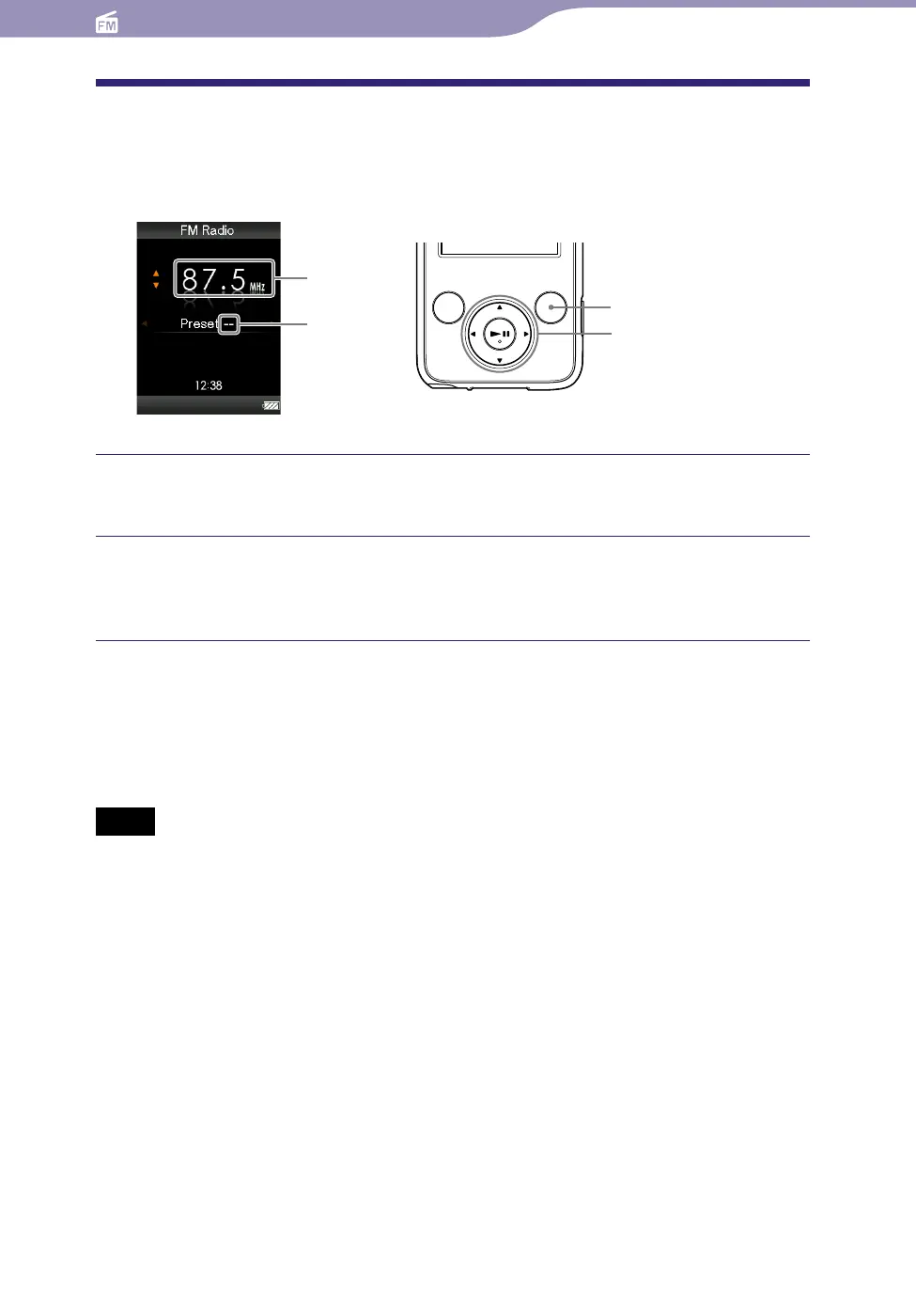
5-way button
OPTION /PWR OFF button
Frequency
Preset number
Press the / button to select the desired frequency during FM
reception.
Press and hold the button.
The frequency you select in step
is preset and the assigned preset
number appears below the frequency.
Hints
You can preset up to 30 stations.
The FM M
anual Preset can be set on the FM radio screen. Press the OPTION/PWR OFF
button, and select “Save to Preset” from the option menu.
Notes
The preset numbers are stored in order, from low to high frequency.
If t
he preset station you intend to store has already been preset, “Preset already exists.”
appears and the station cannot be preset again.
Continued










 To Next Page