EasyManua.ls Logo

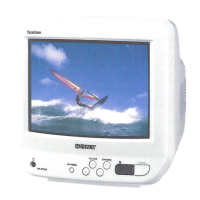
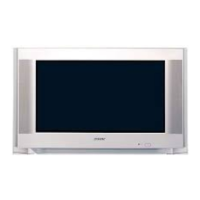
Sony WEGA KV-BZ21 - User Manual

Sony WEGA KV-BZ21
62 pages
Print Icon
To Next Page IconTo Next Page
Loading...
Sony KV-SW21M80 Group O29 (GB, FR, AR)_2-653-742-11 (1)
M81
M80
© 2005 Sony Corporation
KV-SW21
KV-BZ21
2-653-742-11 (1)
Trinitron Color TV
Mode d’emploi
Avant de faire fonctionner cet appareil, lisez attentivement le présent
mode d’ emploi et conservez-le pour toute référence ultérieure.
GB
Operating Instructions
Before operating the unit, please read this manual thoroughly and retain
it for future reference.
FR
 
  ,      
AR
01GB01COV-AFRTun.p65ME 8/11/05, 4:25 AM1
Black

Questions and Answers

  • C
    Christopher Gregory Jr.Sep 2, 2025
    How to fix double images or ghosts on Sony TV?
    • A
      Adam BartonSep 2, 2025
      If your Sony TV displays double images or “ghosts”, try using a highly directional antenna. Also, check your antenna setup or contact a Sony dealer for advice. Another solution is to turn off or disconnect any external booster that is in use.
  • M
    Michael RobbinsSep 1, 2025
    How to fix double images or ghosts on my Sony WEGA KV-BZ21?
    • M
      Michael GrantSep 1, 2025
      To resolve double images or “ghosts” on your Sony TV: * Use a highly directional antenna. * Use the fine tuning (“Fine”) function. * Check the antenna setup. Contact a Sony dealer for advice. * Turn off or disconnect the external booster if it is in use.
  • V
    Veronica LivingstonAug 31, 2025
    Why does my Sony WEGA KV-BZ21 TV have abnormal color patches?
    • O
      ovazquezAug 31, 2025
      Abnormal color patches on your Sony TV can be caused by external interference. Keep external speakers or other equipment away from the TV. Avoid moving the TV while it is turned on. If the issue persists, turn off the TV using the main power switch for about 15 minutes, then turn it back on to demagnetize the TV.
  • A
    Ashley TaylorAug 30, 2025
    How to fix picture slant on Sony WEGA KV-BZ21?
    • T
      Tim MurphyAug 30, 2025
      To correct a slanted picture on your Sony TV, keep external speakers or other electrical equipment away from the TV. If you have a KV-SW21M81 model, you can adjust “Picture Rotation” in the “Setup” menu to optimize the picture position.
  • J
    jonesvictoriaAug 29, 2025
    How to fix dotted lines or stripes on Sony WEGA KV-BZ21 TV?
    • M
      Monica WoodwardAug 29, 2025
      To resolve dotted lines or stripes on your Sony TV screen, ensure that you are not using a hair dryer or other equipment near the TV.
  • Z
    Zachary SmithAug 28, 2025
    What causes double images or ghosts on Sony TV?
    • J
      Jerry SchneiderAug 28, 2025
      Double images or “ghosts” on your Sony TV can be resolved by using a highly directional antenna. You can also use the fine tuning (“Fine”) function. Additionally, try turning off or disconnecting any external booster you are using.
  • O
    Oscar WebsterAug 27, 2025
    How to fix no color on Sony WEGA KV-BZ21 TV?
    • C
      Carol CooperAug 27, 2025
      To fix a 'no color' issue on your Sony TV, first, go to the “Picture” menu, select “Custom” from “Picture Mode,” and then adjust the “Color” level. If the problem persists, check the “Color System” setting in the “Setup” menu and ensure it is set to “Auto”.
  • C
    Christine WilliamsAug 26, 2025
    Why is there good picture but no sound on my Sony TV?
    • A
      Andrea NicholsAug 27, 2025
      If your Sony TV has good picture but no sound, try pressing the volume up button to increase the volume. Also, make sure you haven't accidentally muted the TV by pressing the mute button.
  • S
    smithrobertAug 25, 2025
    What to do if my Sony WEGA KV-BZ21 has no picture and no sound?
    • M
      martinmatthewAug 26, 2025
      If your Sony TV shows no picture and produces no sound, try the following: * Ensure the power cord, antenna, and VCR connections are properly connected. * Press the power button to turn on the TV. * Turn the main power off for five seconds, then turn it on again.
  • J
    Jade CainAug 25, 2025
    What to do if my Sony TV has good picture but no sound?
    • C
      Christopher McculloughAug 25, 2025
      If your Sony TV has a good picture but no sound, first, increase the volume level. If that doesn't work, make sure the TV is not muted by pressing the mute button.

Summary

Safety Warnings

Securing the TV

Getting Started

Activate Initial Setup Menu

Access the 'Initial Setup' menu for initial TV configuration.

Initial TV Setup: Language and Channels

Select Menu Language

Choose the preferred language for the TV's on-screen menus.

Automatic Channel Presetting

Automatically scan and preset available TV channels.

Program Sorting and Editing

Organize, label, skip, or block TV channels.

Initial TV Setup: Channel Editing and Options

TV Control Panel Overview

Connecting Optional Components

Remote Control and Basic Functions

Remote Control Button Functions

Detailed functions for each button on the remote control.

WEGA GATE Menu Operations

Introducing the WEGA GATE Navigator

How to Use WEGA GATE

Step-by-step guide on navigating and operating the WEGA GATE menu.

Settings Adjustment Overview

Picture Settings Adjustment

Adjust Picture Mode, Color Temperature, and Intelligent Picture settings.

Sound Settings Adjustment

Adjust Sound Mode, Balance, Intelligent Volume, and Surround settings.

Channel Setup Options

Configure Auto Program, Manual Program, and Program Sorting/Edit.

General Setup Options

Change Language, Picture Rotation, Color System, and Factory Settings.

Changing Picture Settings

Picture Mode Selection

Choose between Vivid, Standard, or Custom picture modes.

Picture Adjustment in Custom Mode

Fine-tune contrast, brightness, color, hue, and sharpness in Custom mode.

Changing Sound Settings

Sound Mode and Balance Adjustment

Select sound modes and adjust speaker balance.

Changing Channel Setup

Manual Channel Presetting

Changing Setup Settings

Troubleshooting Guide

Common TV Problems and Solutions

Solutions for snowy picture, distorted picture, no sound, and other issues.

Factory Settings for Troubleshooting

How to use Factory Settings to resolve persistent TV problems.

Advanced Troubleshooting Issues

Sony WEGA KV-BZ21 Specifications

General IconGeneral
Screen Size21 inches
Display TechnologyCRT
Aspect Ratio4:3
Remote ControlYes
TV StandardPAL
Input PortsRF, Composite
Dimensions (W x H x D)520 x 470 x 450 mm

Related product manuals