Help Guide
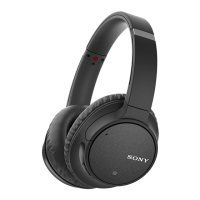
Wireless Noise Canceling Stereo Headset
WH-CH700N
Connecting the headset to 2 Android smartphones
You can connect 2 smartphones to the headset, one for listening to music and the other for making phone calls.
When you connect the headset to a smartphone, usually, the music playback function and phone call function are both
connected automatically.
Hint
Pair the headset with both smartphones, respectively.
1
Use one of the smartphones to establish a Bluetooth connection with the headset.
2
On the smartphone connected to the headset, uncheck either [Phone audio] (HFP) or [Media audio] (A2DP).
Operation example: When only connecting to a media audio (A2DP)
Touch [Settings] - [Bluetooth] - the setting icon next to [WH-CH700N].
On the [Paired Bluetooth device] screen, uncheck [Phone audio].
3
Terminate the Bluetooth connection of the smartphone.
4
Use the other smartphone to establish a Bluetooth connection to the headset.
5
In the same way, uncheck the function that you did not uncheck in step 3.
6
Use the first smartphone to establish a Bluetooth connection again.
Both smartphones are connected to the headset with only one function enabled.
7


 To Next Page