Help Guide
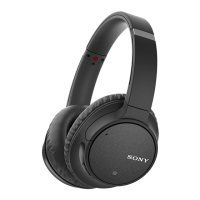
Wireless Noise Canceling Stereo Headset
WH-CH700N
No sound
Check that both the headset and the connected device (i.e., smartphone) are turned on.
Check that the headset and the transmitting Bluetooth device are connected via Bluetooth A2DP.
Turn up the volume if it is too low.
Check that the connected device is playing back.
If you are connecting a computer to the headset, make sure the audio output setting of the computer is set for a
Bluetooth device.
Pair the headset and the Bluetooth device again.
Check that the headphone cable is connected firmly.
Related Topic
How to make a wireless connection to Bluetooth devices
Using the supplied headphone cable
Listening to music from a device via Bluetooth connection
4-729-821-11(2) Copyright 2018 Sony Corporation


 To Next Page