6
XP-EV500/EV500N/EV501R
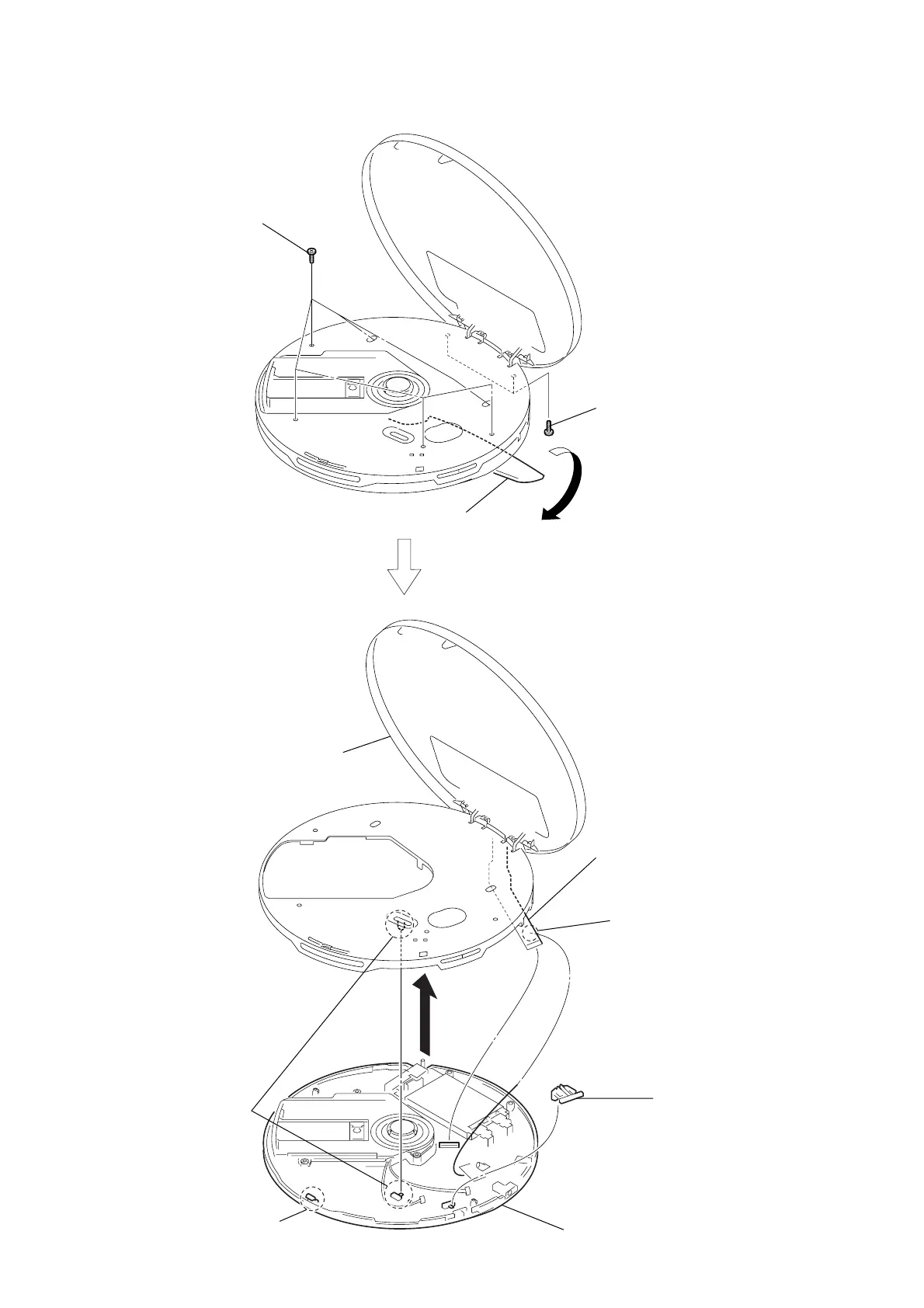
Note : Follow the disassembly procedure in the numerical order given.
3-1. Lower Cabinet Section
3
six screws (B2)
2
two screws (B2)
1
Open the battery lid.
8
switch unit assy (26P)
(CN301)
5
Remove the cabinet (front) assy.
upper lid assy in the direction of
the arrow.
6
hold knob
9
lower cabinet section
4
claw
When installing it,
align the switch position.
7
Remove the soldering.
www.freeservicemanuals.info
Digitized in Heiloo Netherland



 To Next Page