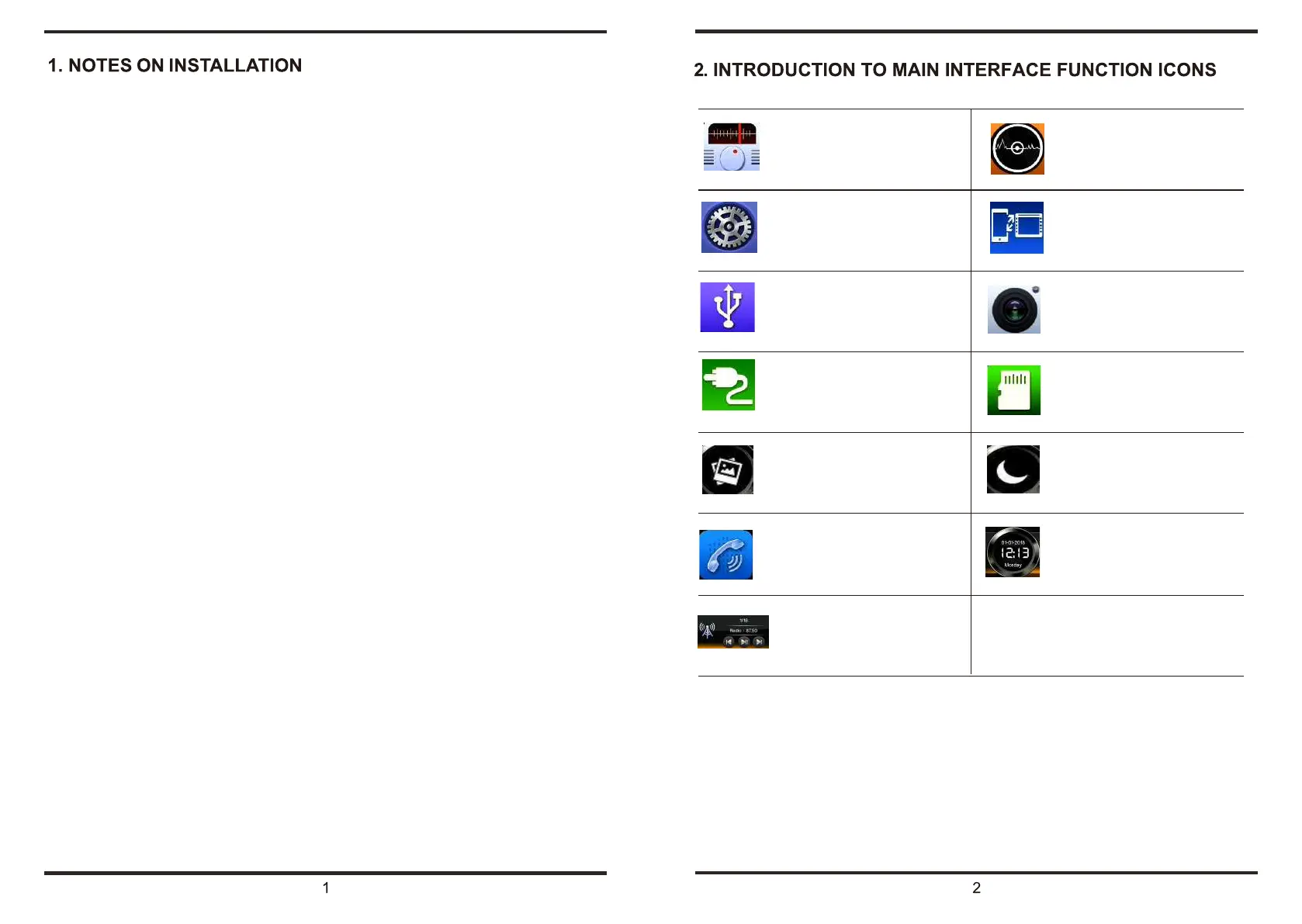
Enter disc play mode, automatically
Enter radio mode,listen
to FM/AM
play the disc in the machine
Only.connected to the phone can be
Enter the system setup interface
used
Enter USB play mode (only valid when
Enter in the rear view (only valid if a
a usb device is connected
backup camera is connected
)
Enter AUX play mode (only valid when
Enter SD card play mode (only valid
an AUX device is connected)
when an SD card is connected)
Choose form 12 preset background
Turn off the screen display ,touch the
images
screen to turn it back on
Enter Bluetooth interface,achieve
Display date and time
Handsfree talk function
In radio mode-change frequency
In song mode-switch,play,pause
The unit is designed for 10V-16V DC negative ground operation system only. Before
installingthe unit, make sure your vehicle is connected to DC10V-16V negative ground
electrical system.
The negative battery terminal must be disconnected before making connections, which
canreduce damaging the unit due to short circuit.
Be sure to connect the color coded leads correctly according to the diagram. Incorrectcon-
nections may cause the unit malfunction or damage the vehicle's electrical system .
Be sure the connect the speaker (- ) leads to the speaker (-) terminal. Never connectthe left
and right channel speaker cables each other or to the vehicle body.
Do not block vents or radiator panel. Blocking them will cause heat tobuild up inside and
may result in fire.
After the completion of the installation and begin to play the unit (including replacingthe
battery), please press the RESET button on the front panel with pointed objects (Such as
ball-point pen) to set the un.













 To Next Page