Page 13 of 37
Operation Instruction Manual VRCP-65
6. AppleCarPlay
Plug theiPhone (iPhone 5 orlattermodels, andiOS 7.1 or above)through thelighteningcable to
theUSBportoftheHeadunit.TheiPhonewillbeshownthe“CarPlay”.TheHeadunitwillenterthe
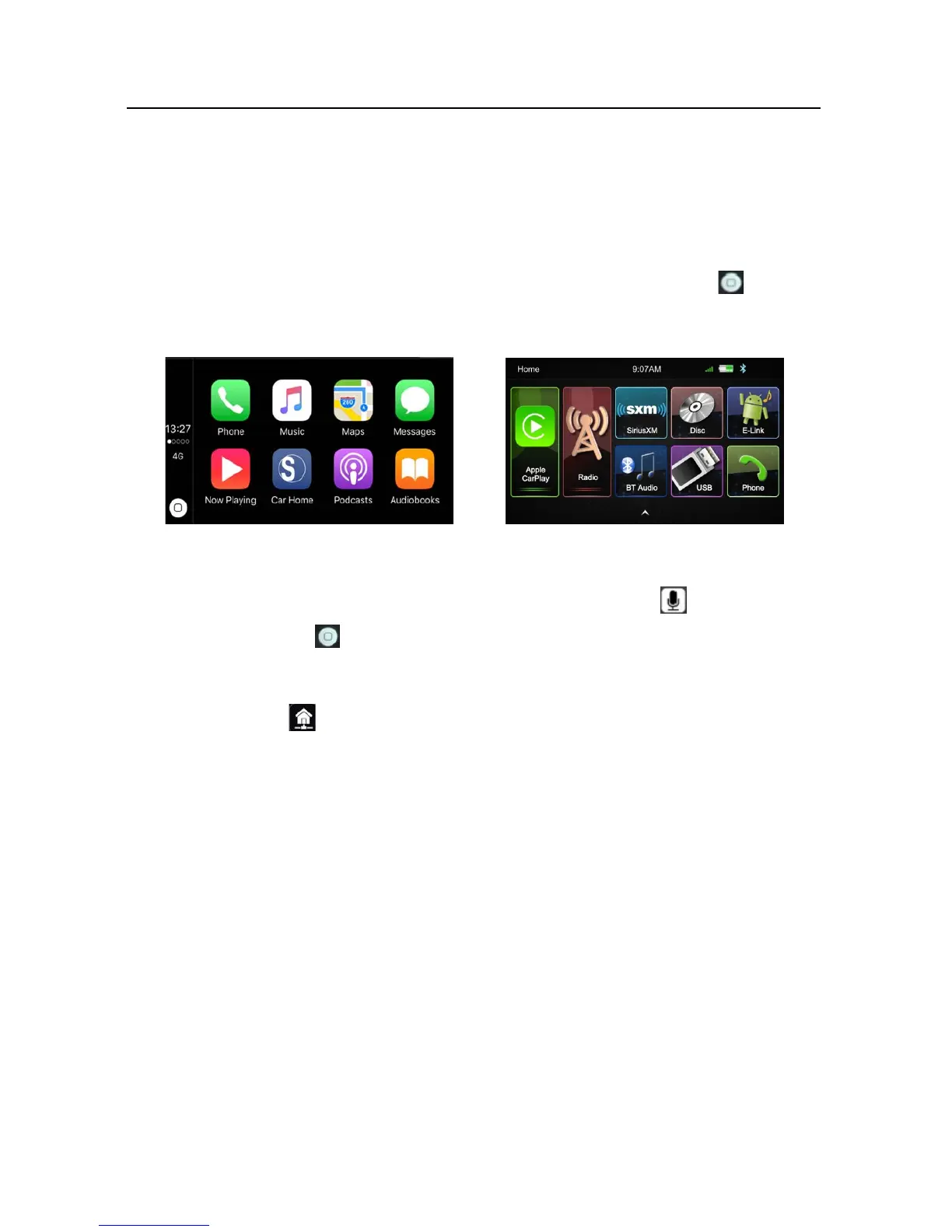
CarPlay interface, the APP that support the CarPlay feature will be displayed on the Head Unit as
shownbelow.TouchthecorrespondingAPPcanoperationtheoperation,touchthe buttonto
gobacktotheCarPlayinterface.
SIRI
InCarPlaymode,usercantalktoSIRItocontroltheCarPlayfunction.Pressbuttontostartthe
SIRI function, or touch thebutton for 2 second or the HOME buttonof iPhone inthe CarPlay
HomescreentotalktoSIRIforplayingmusic,GPS……
Notice:FortheSIRIfunctionintheHeadunit,theMicrophonehastobeenconnected.
InCarPlaymodel,touchbuttonorMainmenuicontoentertheHeadunitmainmenu













 To Next Page