11
4. This setting will compensate for the spring back and adjust the
bending degrees of the digital display shown on the left side of
the display as shown in (Fig 10).
Fig. 10
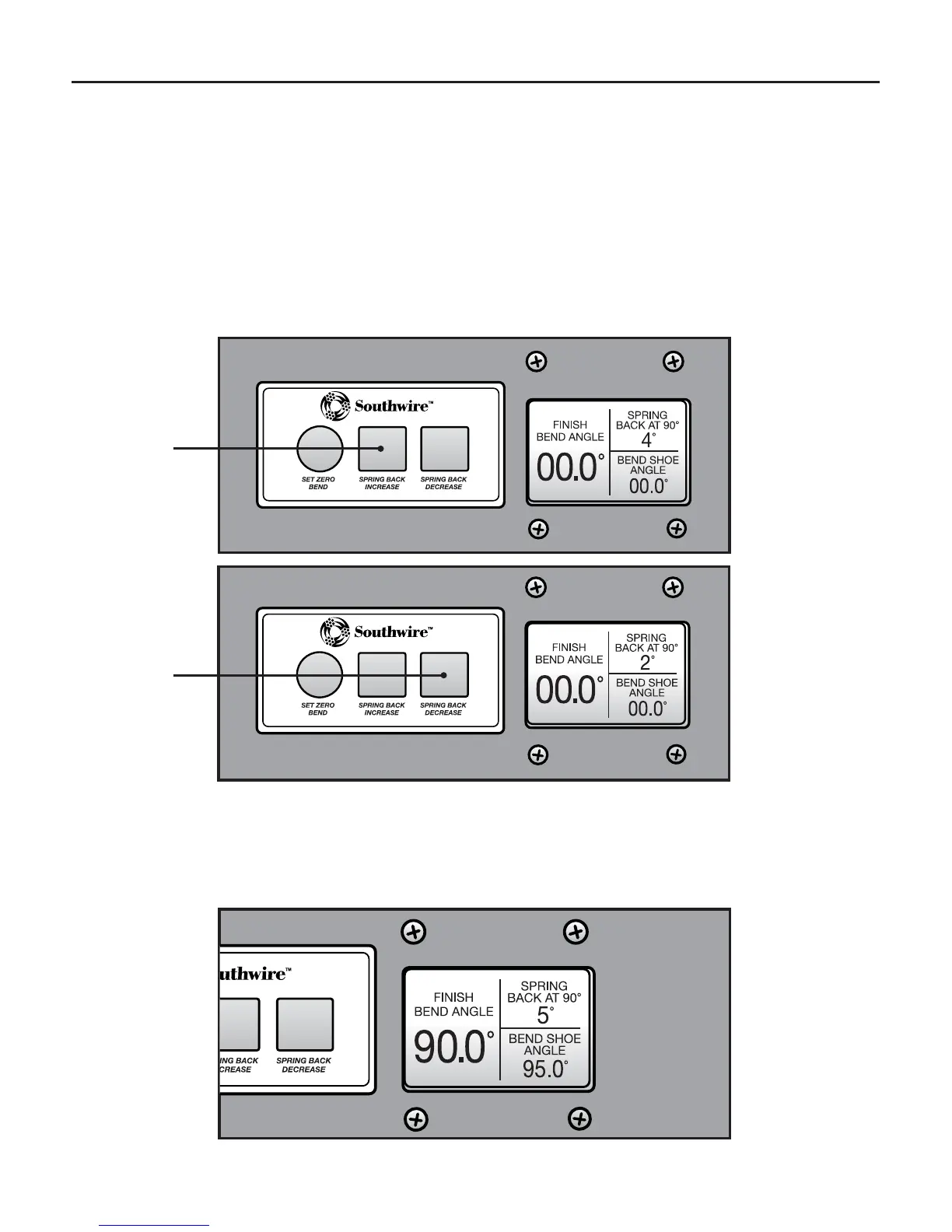
Fig. 8
Press
Fig. 9
Press
OPERATION cont.
CALIBRATING THE DIGITAL PROTRACTOR cont.
Refer to the “Identification” section of this manual.
ZERO AND SPRING BACK SET UP cont.
3. Locate Zero and Spring Back Set-up panel (4) and press the
“SPRING BACK INCREASE OR SPRING BACK DECREASE”
soft key until desired spring back is shown on top right corner
of digital display (5) as shown in (Figs. 8 and 9).


 To Next Page