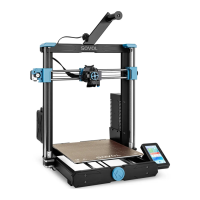
1 3
542
6
7
10
11
8
9
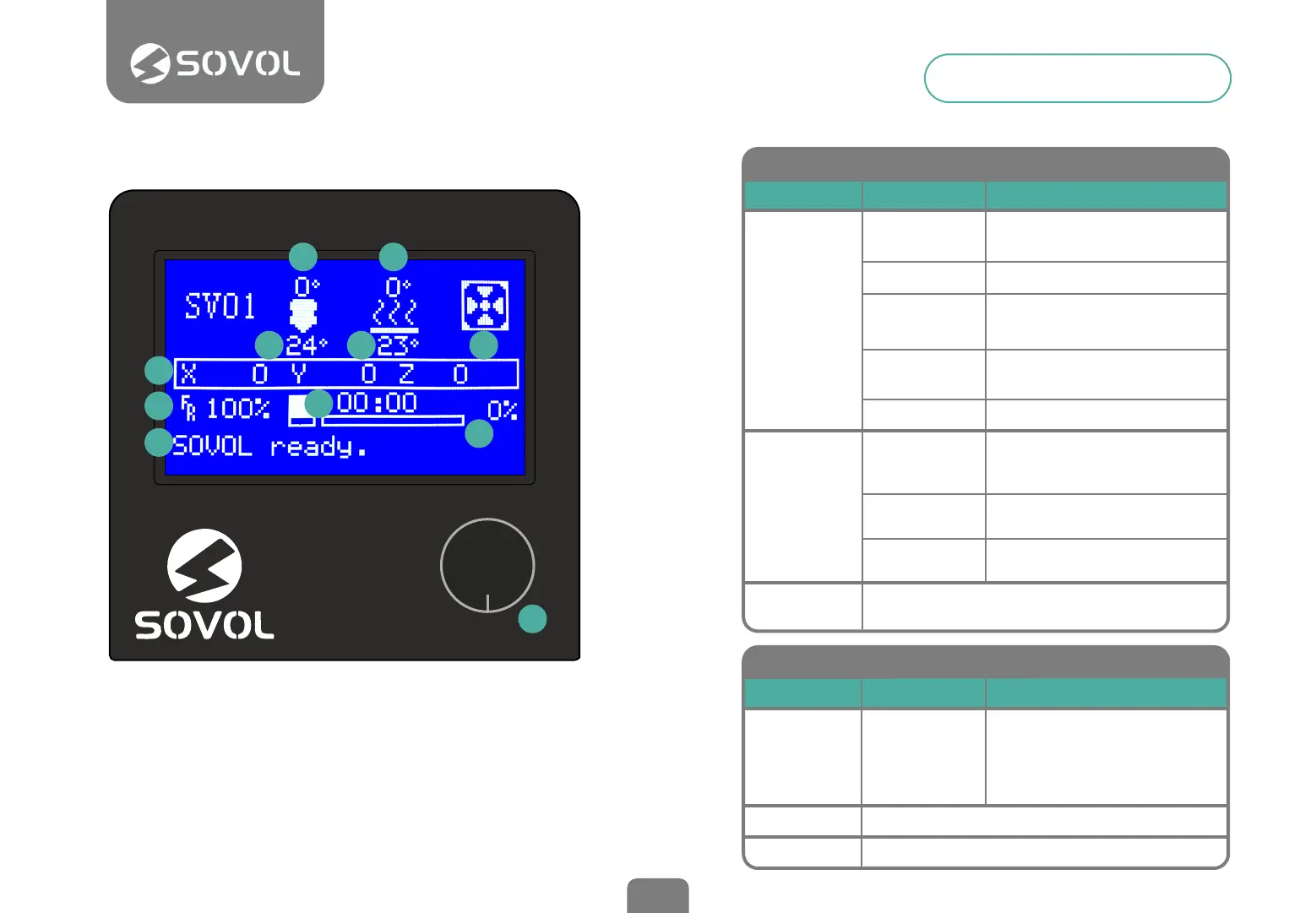
1. SET TEMPERATURE NOZZLE
3. SET TEMPERATURE HOT BED
5. LAYER FAN SPEED (%)
7. PRINT SPEED (%)
9. PRINT PROGRESS
11. BUTTON KNOB
> PRESS: Conrm/Enter Sub Menu ROTATE: Move/Change value
2. CURRENT TEMP. NOZZLE
4. CURRENT TEMP. HOT BED
6. CURRENT LOCATION NOZZLE
8. PRINT TIME
10. PROMPT MESSAGE
Screen Information
10
Prepare
Control
No Card/
Print TF
Disable
Steppers
Move Axis
Auto Home
Not Printing (Sovol ready)
Menu Sub Menu
Moving X, Y, Z axis
or Extruder by imputing
Close motors and move X, Y, Z
axis by hands
Return to Zero
Explanation
Temperature
Heats hotend and bed, fan speed
or set the preset Pla/Abs preheat
entering a value
Store
Settings
Save the modied
conguration in memory
Initialize
EEPROM
Restore factory settings
No card in the printer /
Print from TF card
Cooldown
Turn off the heaters
Preheat Pla
Preheat Abs
Preheat hotend, bed or both
at the preset temperature
Tune
Pause
Stop
Speed
Nozzle
Bed
Fan Speed
Flow
PRINTING
Menu Sub Menu
It allows to modify:
print speed, fan speed,
nozzle temperature,
bed temp. and lament ow
while printing
Explanation
Pause printing, resume
Stop printing


 To Next Page