E. PIN Code
Access programming mode
→
User Setting
→
Password
→
Input 5-digit user address
→
Input 4-digit PIN (0001~9999)
→
Succeeded
Or via 701Client set it on Users screen
2
1
C. Initial setup
Node ID of Reader Setting
Access programming mode
→
Parameters[1]
→
Node ID
→
Input New Node ID : 1~254
(default value:001)
→
Main Door Number : 0~255
→
WG1 Door Number : 0~255
→
Show UID (0=No, 1=WG, 2=ABA, 3=HEX)
→
Enable DHCP(0:No, 1:En, 2=Exit)
→
Succeeded
3 1
Language Setting
Access programming mode
→
Tools
→
Language
→
EN
→
Succeeded
→
Initial system...
5 1 0
Programming
B. Entering and Exiting Programming Mode
Exiting
Press the repeatedly
→
Quit or Quit and Arming (Please refer to alarm / arming setting)
6
Changing the Master Code
Access programming mode
→
Tools
→
Master Code
→
Input the 6-digit new master code
→
Succeeded
5 2
A. Keyboard Lock/ Unlock
Lock/ Unlock
Press and simultaneously to lock keyboard. Press simultaneously again to unlock.
Entering
Input 123456 or PPPPPP
[e.g.] The Default Value= 123456. If already changed the Master Code= 876112, input
876112
→
Access programming mode
P.S.If no instruction is entered within
30 sec.
, it will automatically leave the programming mode.
7
Access programming mode
→
Add/Delete
→
Add -> RF-Learn
→
Input 5-digit user address
→
Input Tag Units(pcs)
→
Close Tag into RF Area
※
If the batch of tags are
Sequential
, input Tag Units(pcs) in the quantity of the tags and present the tag with
the
lowest number
to the controller for adding all the tag data; otherwise, the tags must be presented to the controller individually
1 2
Adding Tag by RF Learn Function
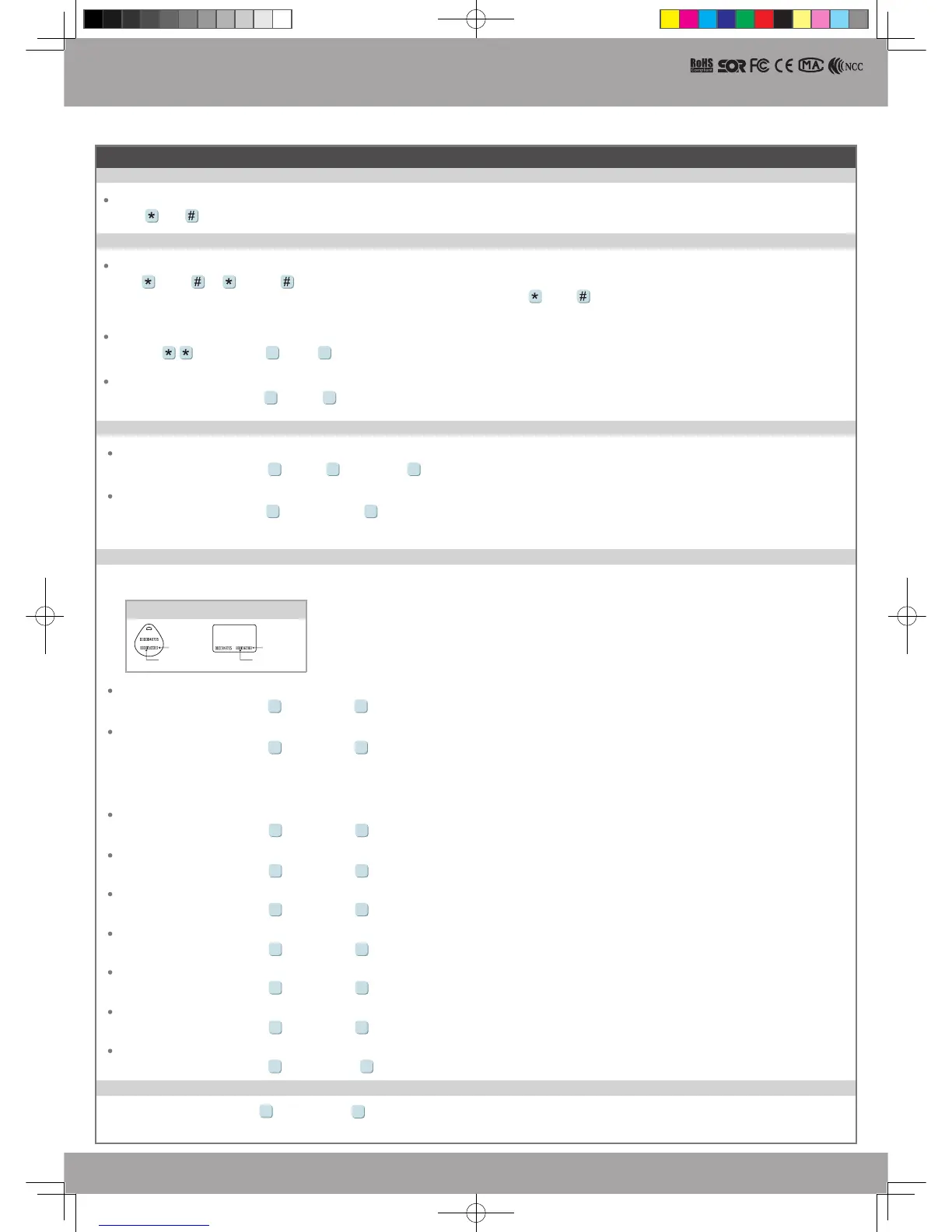
Tag Information
SITE CODE
CARD CODE
SITE CODE
CARD CODE
※
User capacity: 16384 (00000~16383)
Access programming mode
→
Add/Delete
→
Add -> Card ID
→
Input 5-digit user address
→
Input Site Code
→
Input Card Code
1 1
Adding Tag by Tag ID
Access programming mode
→
Add/Delete
→
Delete -> Addr
→
Input Start address
→
Input End address
1 5
Deleting User Address
Access programming mode
→
User Setting
→
Access Mode
→
Input User Address
→
0: Invalid; 1: Card ; 2: Card or PIN; 3: Card & PIN
2 2
Setting up the access mode
Access programming mode
→
Add/Delete
→
Delete -> ID #
→
Input Site Code
→
Input Card Code
1 6
Deleting Tag by Tag ID
Access programming mode
→
Add/Delete
→
Suspend -> Addr
→
Input Start address
→
Input End address
1 3
Suspend User Address
Access programming mode
→
Add/Delete
→
Suspend -> ID #
→
Input Site Code
→
Input Card Code
1 4
Suspend Tag by Tag ID
Access programming mode
→
Add/Delete
→
Delete -> Addr
→
Input Start address
→
Input End address
1 7
Recover User Address
Access programming mode
→
Add/Delete
→
Delete -> ID #
→
Input Site Code
→
Input Card Code
1 8
Recover Tag by Tag ID
D. Adding and Deleting Tag
837E-EF-140217.indd 4 2014/12/17 下午 04:05:19


 To Next Page