Hardware Setup
SY-7IZB+N
20
2-3.10
AGP VGA Card
Insert the AGP VGA card into the AGP slot. Then connect the
monitor information cable to the AGP card back plane external
connector.
Follow the manufacturer's instructions to perform the AGP VGA
drivers installation.
Other Display Cards: Insert other types of VGA cards into the PCI
or ISA expansion slots according to card specifications.
2-3.11 PCI Audio Card
Some PCI soundcards require a PC-PCI DMA channel. Attach the
5-pin cable from your PCI audio card to the SB-LINK™ header on
the Motherboard. The SB-LINK™ will forward requests for legacy
DMA channel to the PCI Bus.
2-3.12
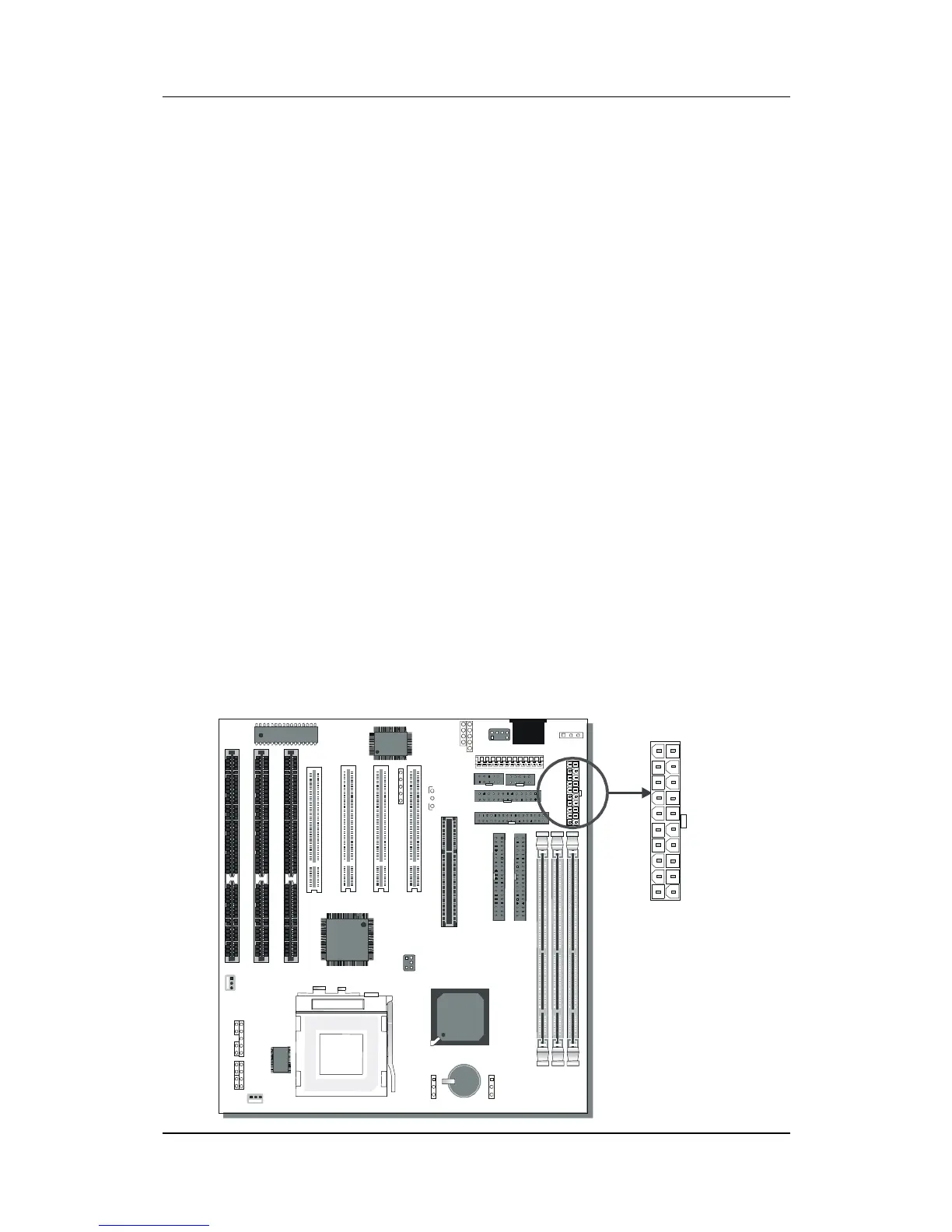
ATX Power Supply
Plug the connector from the power directly into the 20-pin male ATX
PW connector on the Motherboard, as shown in the following figure.
*
22



 To Next Page