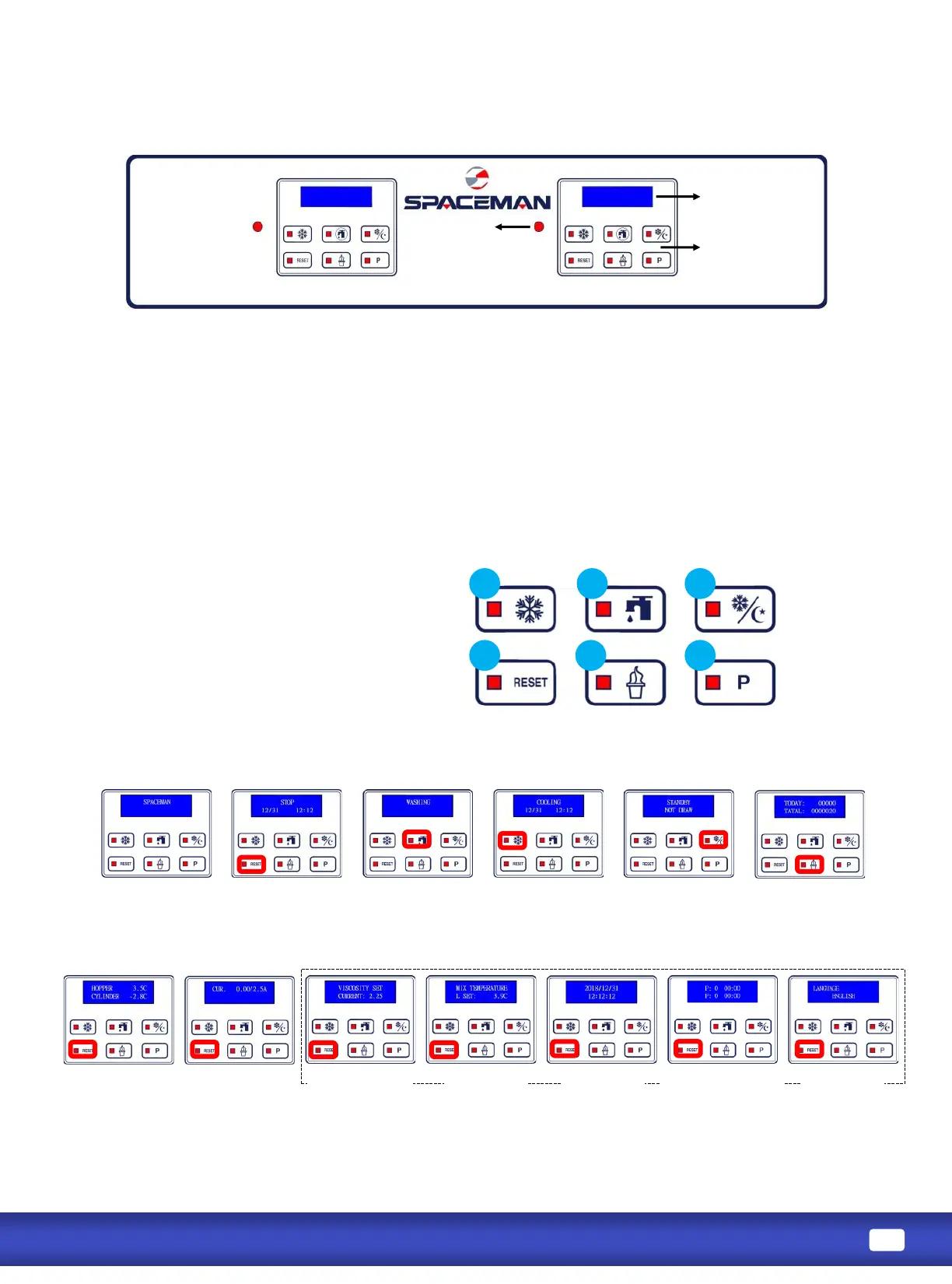
:A mix level indicang light is located at the front of the machine. When the light is
“ON”, it indicates that the mix hopper has a low supply of mix and should be relled as soon as possible.
Always maintain at least 2cm of mix in the hopper. If you neglect to add mix, a freeze-up may occur. This will
cause eventual damage to the beater assembly, the dispensing door, and gear box.
:During normal operaon the display is used to indicate funcon, the temperature of the
mix in the hopper and cylinder, the electric current of beater motor, error, and warning message.
:To beer communicate in the Internaonal arena, symbols have replace words on
many of your operator switches. SPACEMAN equipment is designed with these internaonal symbols.
Turn on power
Press and hold RESET for 3 seconds to enter into Menu;
Press RESET to turn to next page
Press RESET buon
to turn to STOP
mode
Press WASH buon
to turn to WASH
mode
Press P buon,
displays temperature
of Hopper & Cylinder
Press STANDBY
buon to turn on
STANDBY mode
Press FREEZE buon
to turn on FREEZE
Mode
Press ICE CREAM
buon, screen displays
dispense count
Press P buon
again, displays
motor current
Viscosity Seng
Hopper
Temperature
Date & Time
Auto Programming Language
Mix Low
Indicator Touch Switch
Panel
Display Screen



 To Next Page