14
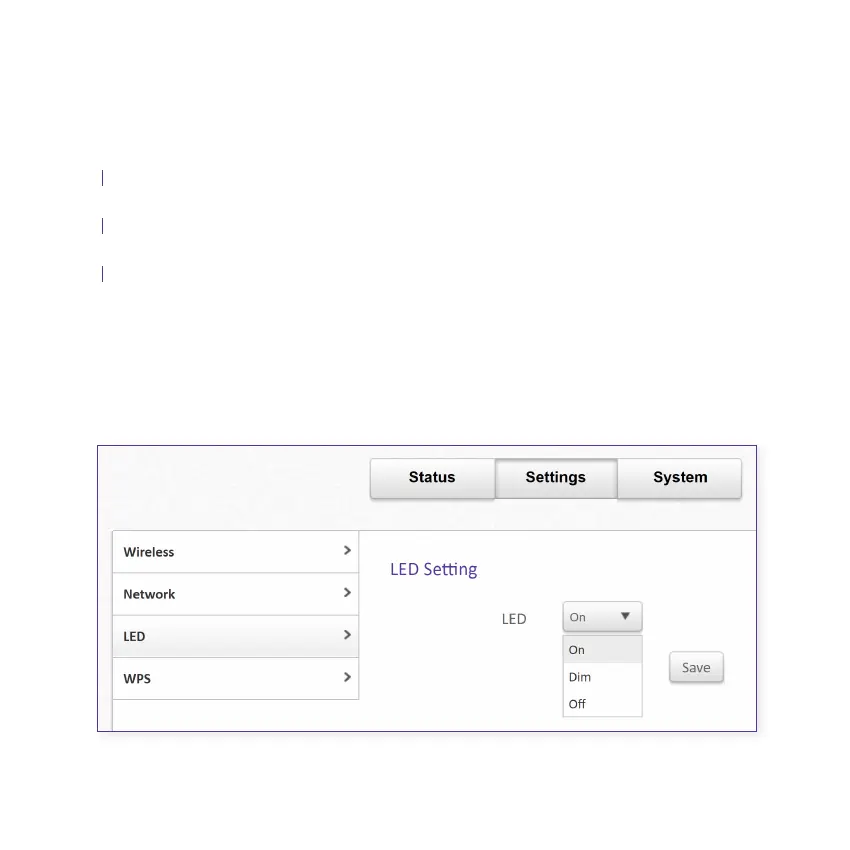
3.3 Adjusting the brightness of the Smart Mesh LED light
Select Settings from the top menu tab
Select LED from the left-hand menu list
Choose from the list in the drop-down menu
Click Save to save the setting, this will adjust the brightness on all Smart Mesh on
the network
New devices connecting to the mesh Wi-Fi
Note: This feature is not available when using the Smart Modem.
A.
B.
C.
D.
Figure 3.3


 To Next Page