4
1.2 Where to place your Smart Mesh in your home or business
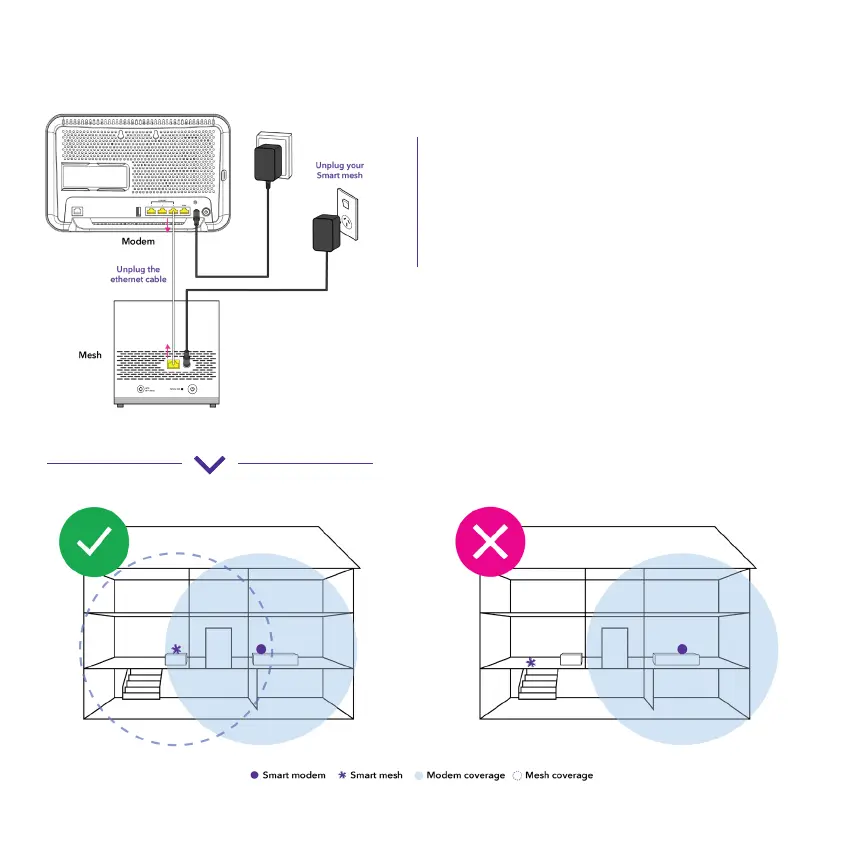
Unplug the ethernet cable from both
devices and remove the Smart Mesh power
adapter from the wall.
Note: Ethernet cable is not required to be
plugged in once the unit is paired.
Move your Smart Mesh to an area around
your home or business you want to improve
Wi-Fi coverage.
Note: Your Smart Mesh will need to be
placed within the coverage area of your
Smart Modem. Placing the mesh away from
large metal objects, and up high (eg. on a
book shelf) can help improve performance.
A.
B.


 To Next Page