6
1.4 How to connect your devices to your new mesh Wi-Fi
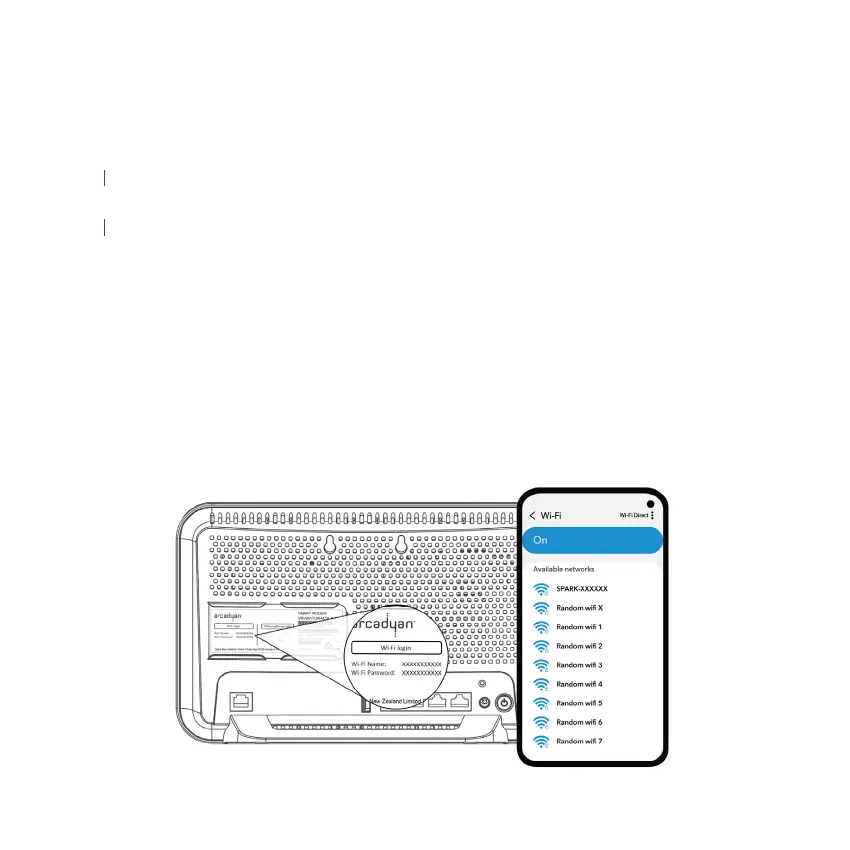
Turn on Wi-Fi from your device.
Select your Smart Modem’s Wi-Fi name from the available Wi-Fi networks list.
Enter the Wi-Fi password to connect.
You’re all set, your device(s) will automatically connect to your new mesh Wi-Fi.
New devices connecting to the mesh Wi-Fi
Devices already connected to your Smart Modem’s Wi-Fi network
Note: Find the default Wi-Fi name and password on the back of your Smart Modem.
A.
B.
C.


 To Next Page