User’s Manual
DVR-4TH/8TH/16TH Series
SPECO TECHNOLOGIES 07/10
142
6.3.9 Remote Monitoring Software Trouble Shooting Guide
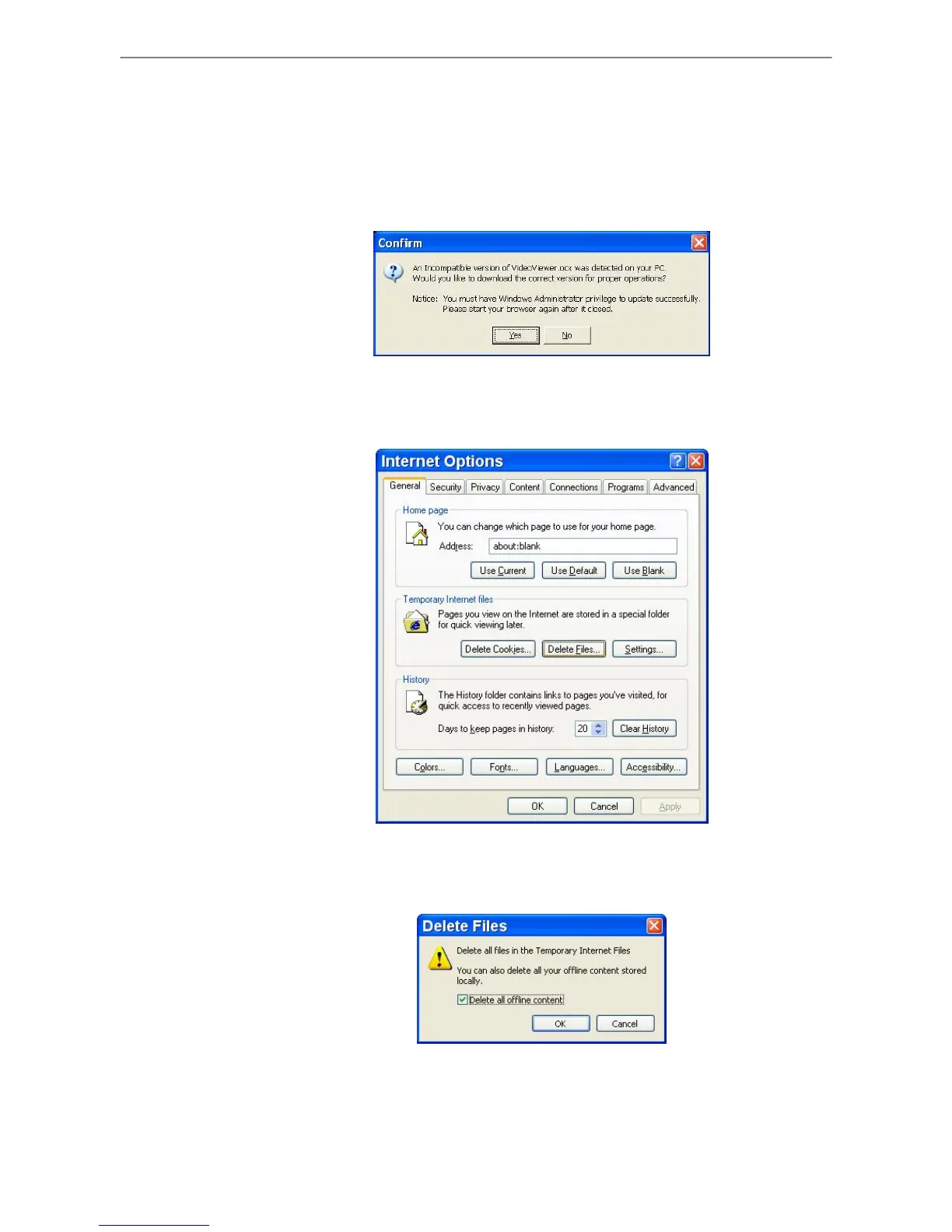
What happened if the server requests to upgrade the software every time the
DVR is connected? If the following screen displays repeatedly, please follow
the steps to delete the temporary internet files.
• Select <Tools> from the main menu of the web browser, then <Internet
Options>, and then click the <General> tab.
• Click the <Delete Files> button in the <Temporary Internet Files> field; the
<Delete Files> screen displays as below.
• Check the <Delete all offline content> box and click <OK>.
• Now, enter the IP address of the DVR to make the connection again.



 To Next Page