User’s Manual
DVR-4TH/8TH/16TH Series
SPECO TECHNOLOGIES 07/10
153
Establishing Dial-out Connection
The Dial-out function enables the user to establish dial-up modem communication to and
from the DVR-4TH/ 8TH/ 16TH series unit for remote notification use. Follow the
instructions that follow to set up your DVR and PC.
DVR Configuration:
• Connect a USB modem to the USB port and connect a working phone line to the
modem.
• Press MENU and input username and password with appropriate privilege to
access the OSD Main menu. Select <Network Setup> and then <Dial-out Setup> to
set up the Dial-out settings.
• Select the <Email Address> in the Network Setup menu to edit an e-mail address
for alarm notification.
• Select <Event Setup> in the Main menu and set the Email Notice function to <ON>
(enabled).
• Exit the OSD menu and save the configuration.
• For more information on dial-out settings, see section Dial-out Setup.
PC Configuration:
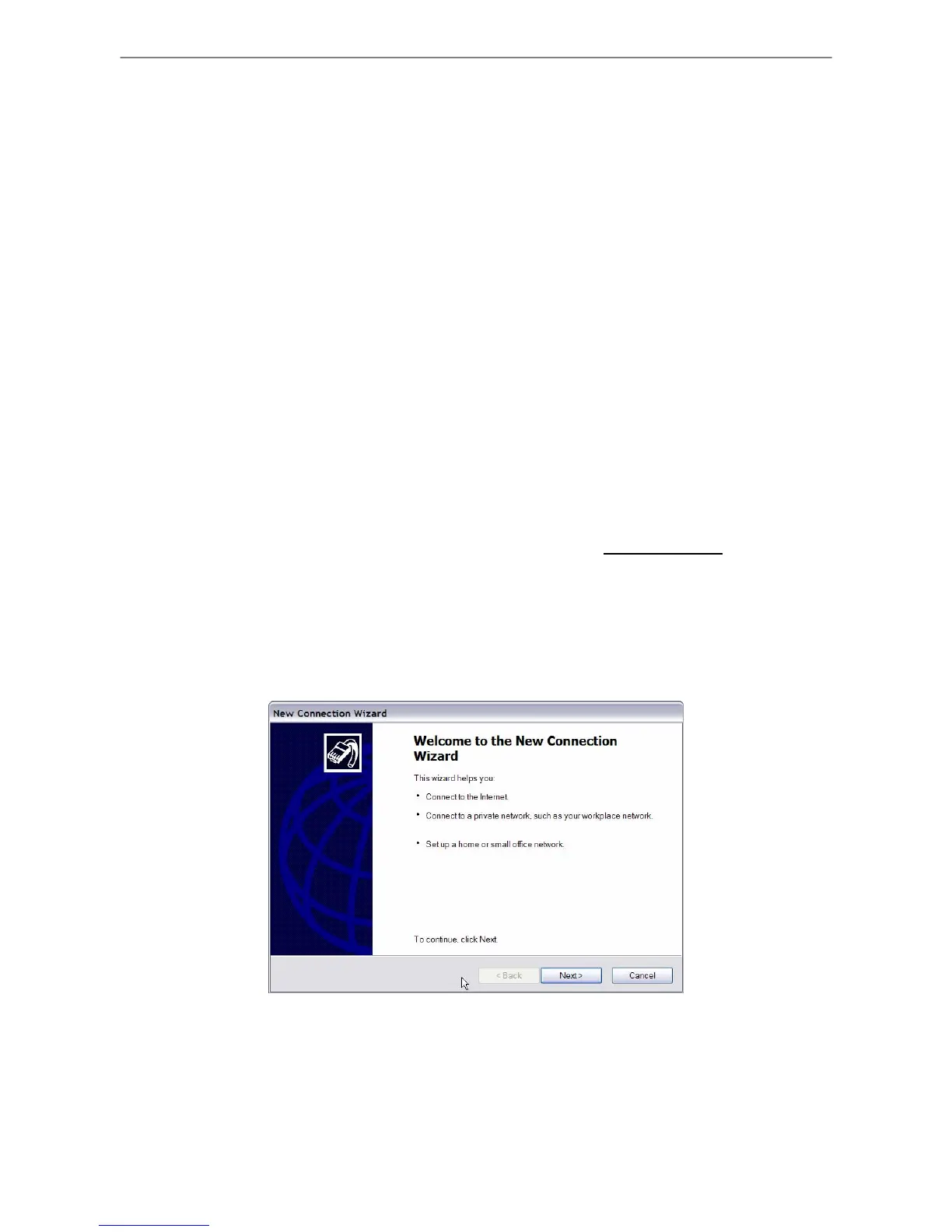
• Click <Start>, <My Network Places>, <View Network Connections> and then select
<Create New Connection>. The New Connection Wizard is displayed. Click <Next>
to continue.



 To Next Page