User’s Manual
DVR-4TH/8TH/16TH Series
SPECO TECHNOLOGIES 07/10
158
Appendix E: Verifying Digital Signature
The digital signature aims to authenticate a video file exported from the unit. Follow the
instructions to export video with a digital signature and to verify the digital signature.
To export recorded video with digital signature:
To export recorded video with a digital signature to a USB hard drive or DVD+RW
drive, follow these steps.
• In <Video Export> menu, select copy device, data type, expected channel and
start/end time, or event video clips.
• Set the <Digital Signature> function to <Yes>.
• Start the exporting process by setting <Begin Export> to <Yes>.
Video Export
Select Device
Select Ch:
From
To
Select Events
Data Type
Export Format
Digital Signature
Erase Disc
Begin Export
CH1 CH2 CH3 CH4
2008/03/19 AM 07:50:05
2008/03/28 PM 03:09:18
Normal
DRV
No
No
No
Each recorded video will be exported into four files with different filenames,
including *.gpg, *.drv, *.sig and readme.txt.
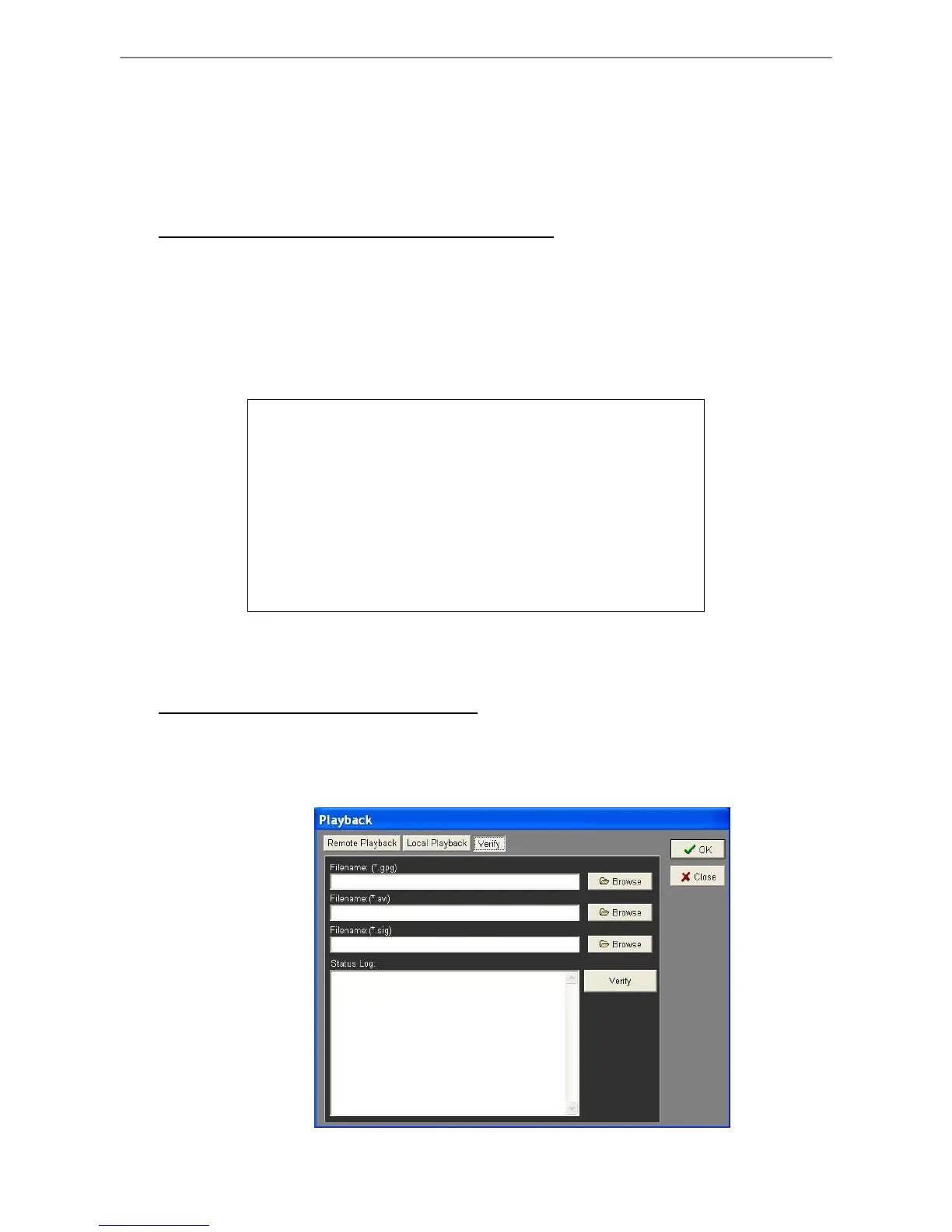
To verify the exported recorded video:
Following are the procedures for digital signature verification.
• Start your SpecoRemote™ and click <Play> on the main window tool bar.
• Click <Verify> tab to display the Verify window.



 To Next Page