User’s Manual
DVR-4TH/8TH/16TH Series
SPECO TECHNOLOGIES 07/10
164
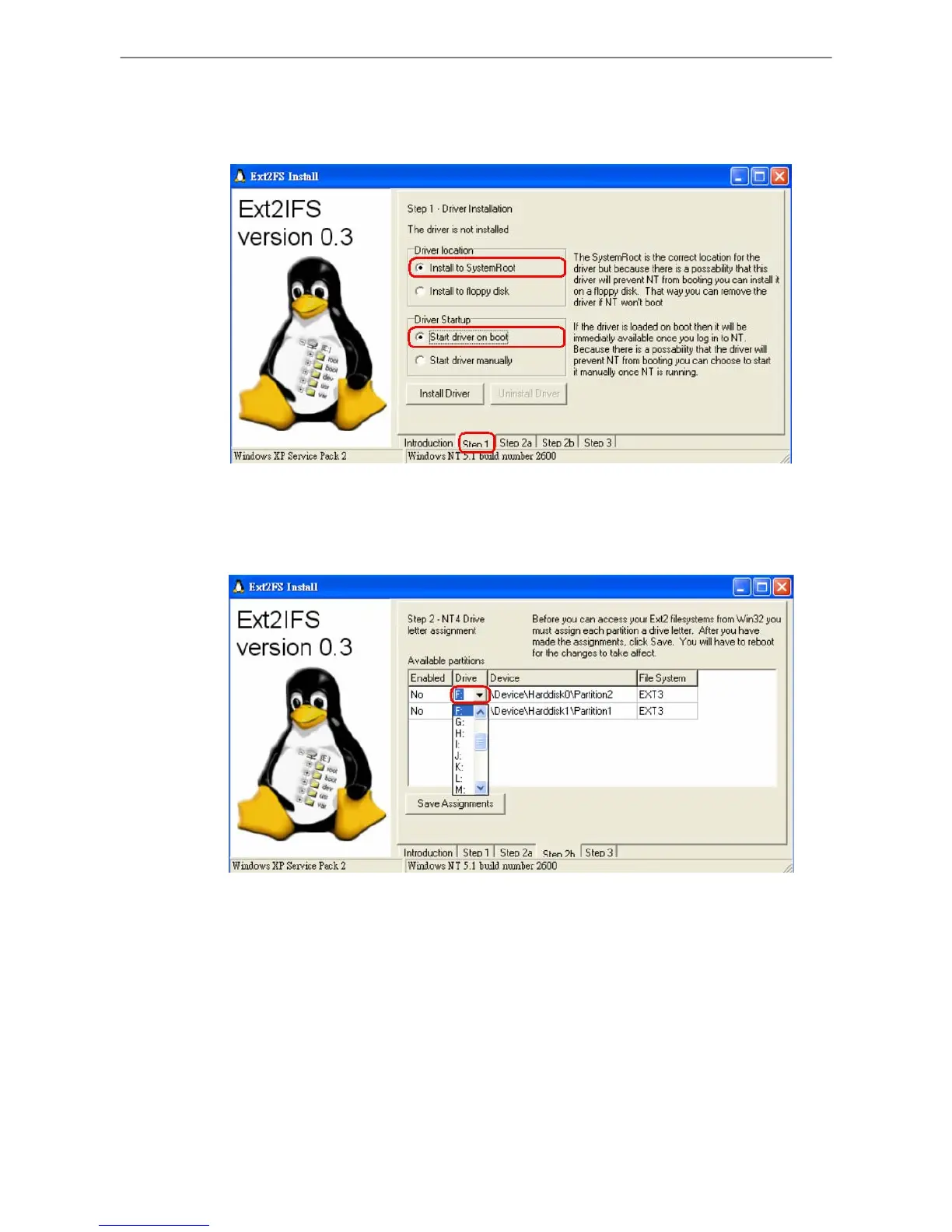
Step 4. Click <Step1> sheet, and then choose <Install to System Root> and <Start drive
on boot> options. When done, click <Install Drive> button.
Step 5. Click <Step2b> sheet. Click <Drive> to assign each partition a drive.
Step 6. Click <Step1> sheet, and then choose <Install to System Root> and <Start drive
on boot> options. When done, click <Install Drive> button. After the assignments
are made, click <Save Assignments> button.
Step 7. Click <Step1> sheet, and then choose <Install to System Root> and <Start drive
on boot> options. When done, click <Install Drive> button. Click <Step3> sheet.
Then click <Start Drive> button.



 To Next Page