16
2.4.2. EZ Network (Using an internet connection)
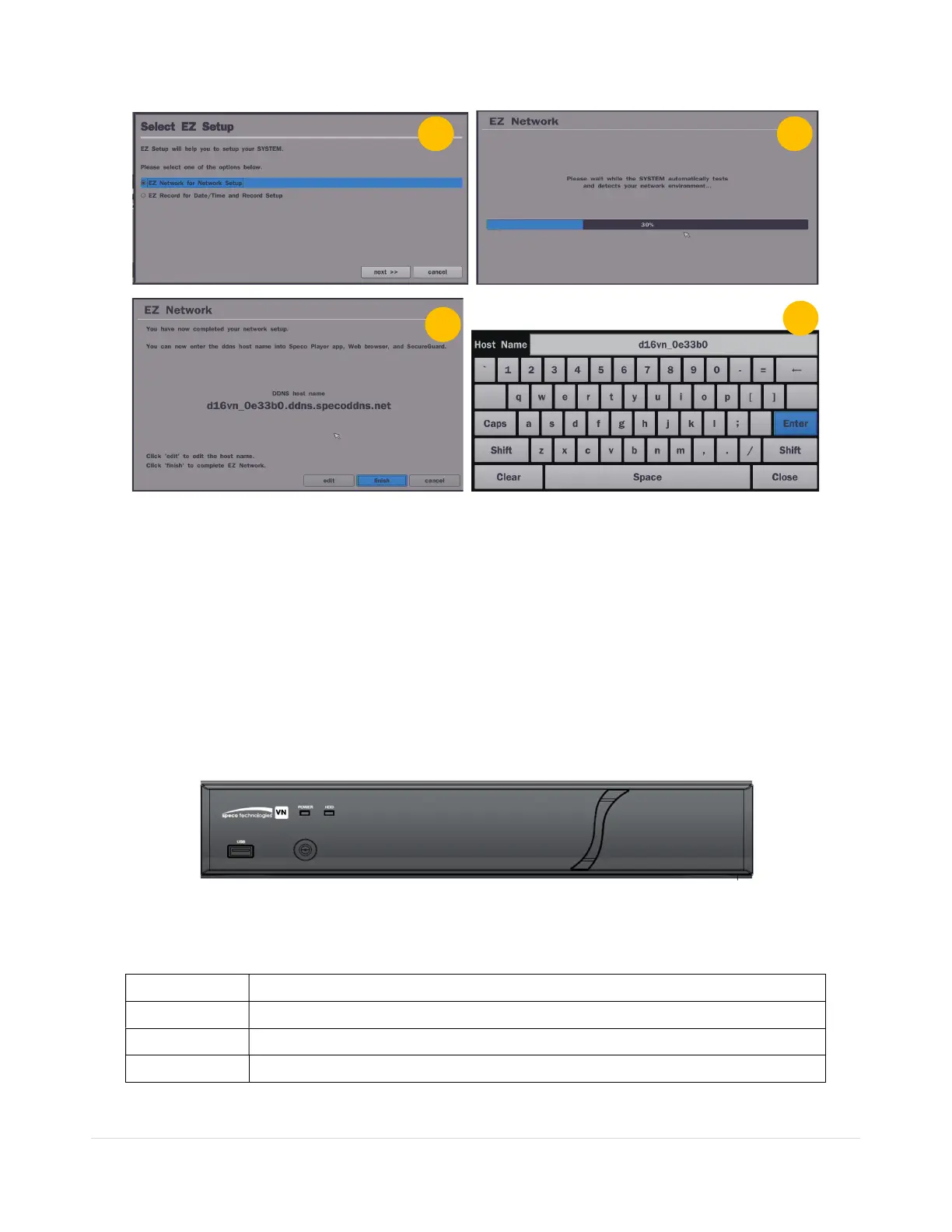
Figure 2.4.2. EZ Network Setup Procedure
① DVR automatically checking the network and configuration by scanning in few seconds.
② DVR will show the DDNS host name when configuration is finished automatically.
③ If you need to edit the host name please select ‘edit’ button.
④ Everything is OK, then select ‘finish’. Host name and status pop-up screen will be showed.
3. Name, Function and Connection
3-1. Front Panel
Figure 3.1.1. Front panel
Table 3.1.1. Front LED and Port of VN model
Name Description
POWER
LED light is on when power is applied to the system.
HDD
LED light is on when the system is recording video data.
USB Port This USB port for archiving footage into a USB device. (USB 2.0 connector)



 To Next Page