24
4-3. Setup – Record Mode
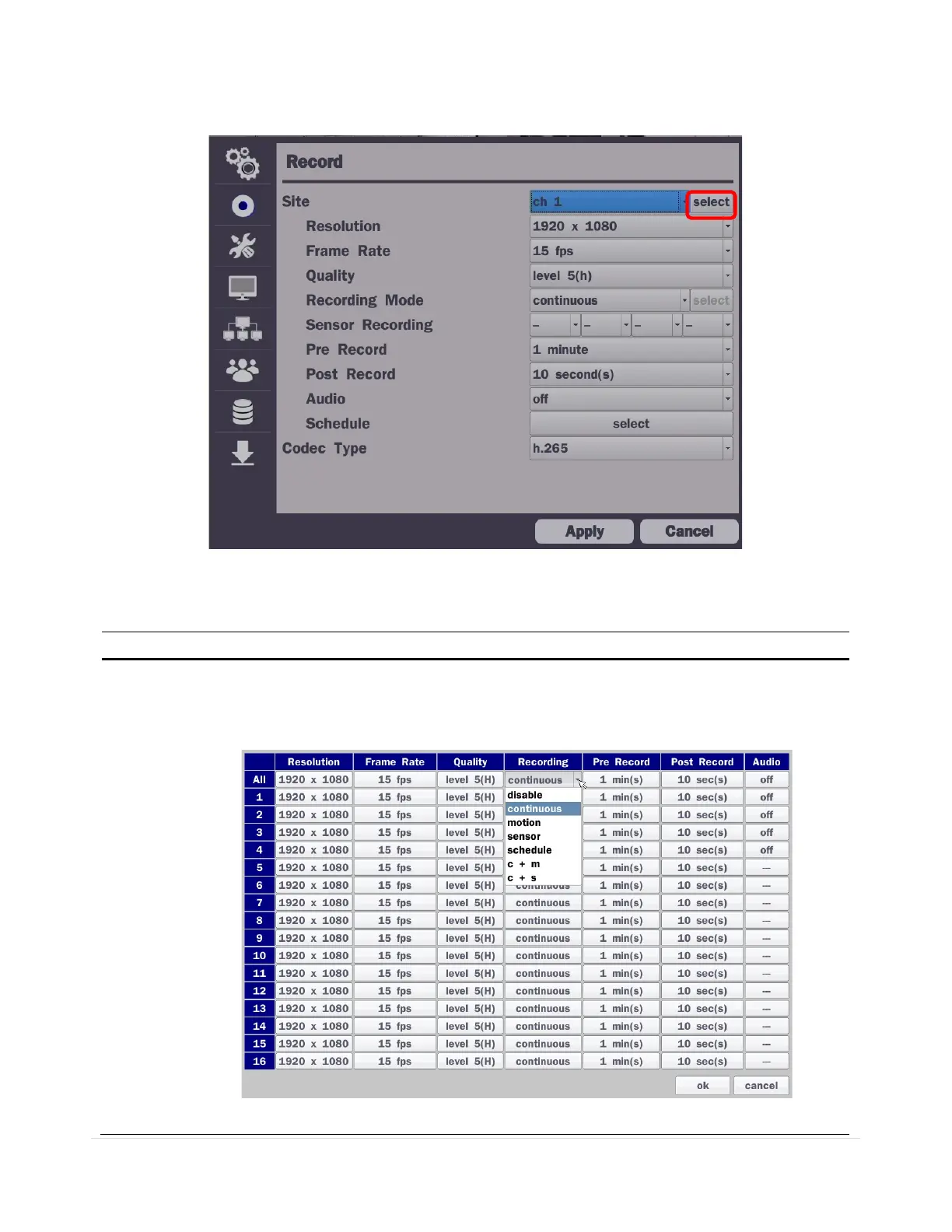
In the Setup menu, select the Record tab. Then, the Record menu is displayed as pictured below. Navigate
through the menu items or change the settings using the mouse or the remote control.
Figure 4.3.1. Record Setup Screen
Table 4.3.1. Menu Items in Record Setup Screen
Menu Item Description
ite
Select a channel for applying the following settings using a mouse or a remote
control. Select the “select” button beside of channel button to change the values of
all channels.



 To Next Page