31
Notice : VN series can use UTC feature.
: UTC(Up To Coax) allows for control of the camera’s OSD menu via the coax cable.
User does not need extra connection via RS-485 to control the camera’s OSD menu
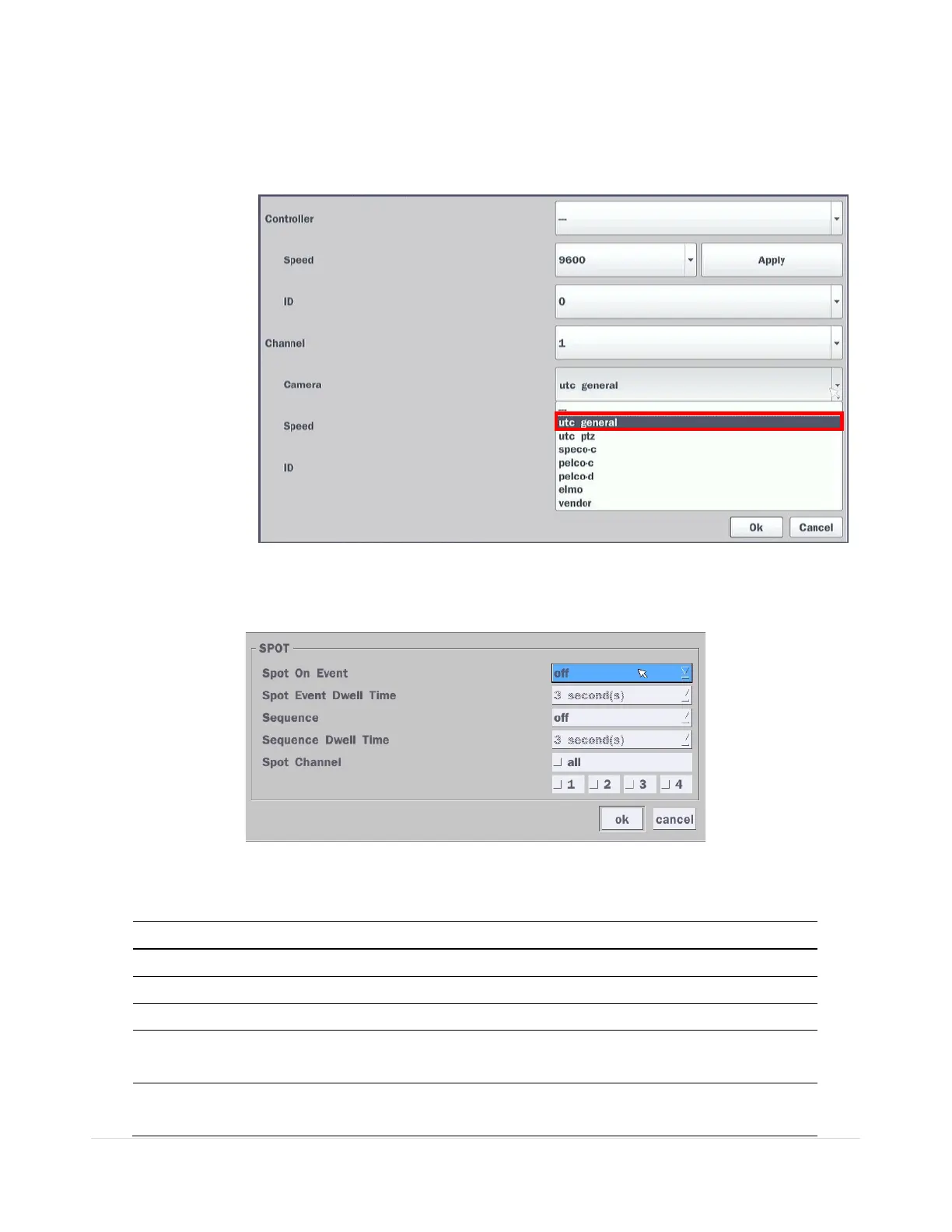
- How to set (Setup > Device > PTZ & Controller > UTC General)
Figure 4.4.6. Setup – UTC Camera Protocol
4-4-3. Spot Out
Figure 4.4.7. Spot-Out Setup Screen
Table 4.4.3. Menu Item in Spot-Out Setup Screen
Item Description
Spot Out
Only 1 Spot Out is available to use.
Spot Type Spot 1 supports only Full type. (1 channel only)
Spot On Event
Enable/disable channel change if an event occurs on a channel.
Spot Event
Dwell Time
Set the dwell time for the display of the event activated channel.
(3-10 sec)
Sequence
Enable/disable sequential display of spot channel in full screen.
If select “on”, the selected channel will be displayed on the monitor



 To Next Page