Coaxial digital input (COX)
If your media player does not have an HDMI® output or an optical digital input, connect it using the sound system input marked “COX”.
In order to transmit the image signal, your media player must also be connected to the TV. Alternatively, this input can be used as an optical
input.
Analog input (AUX)
If your media player does not have an HDMI® output or an optical digital input, connect it using a shielded stereo cinch cable via the
analogue input on the Sound system system marked “AUX”. Otherwise this input is only used to connect video recorders or games consoles.
Analogoutput (SUB)
Use this output to connect an external active subwoofer. SUB OUT is not active in the basic setting and has to be activated using the remote
control. See page 48 Extended sound functions.
Connecting the loudspeakers
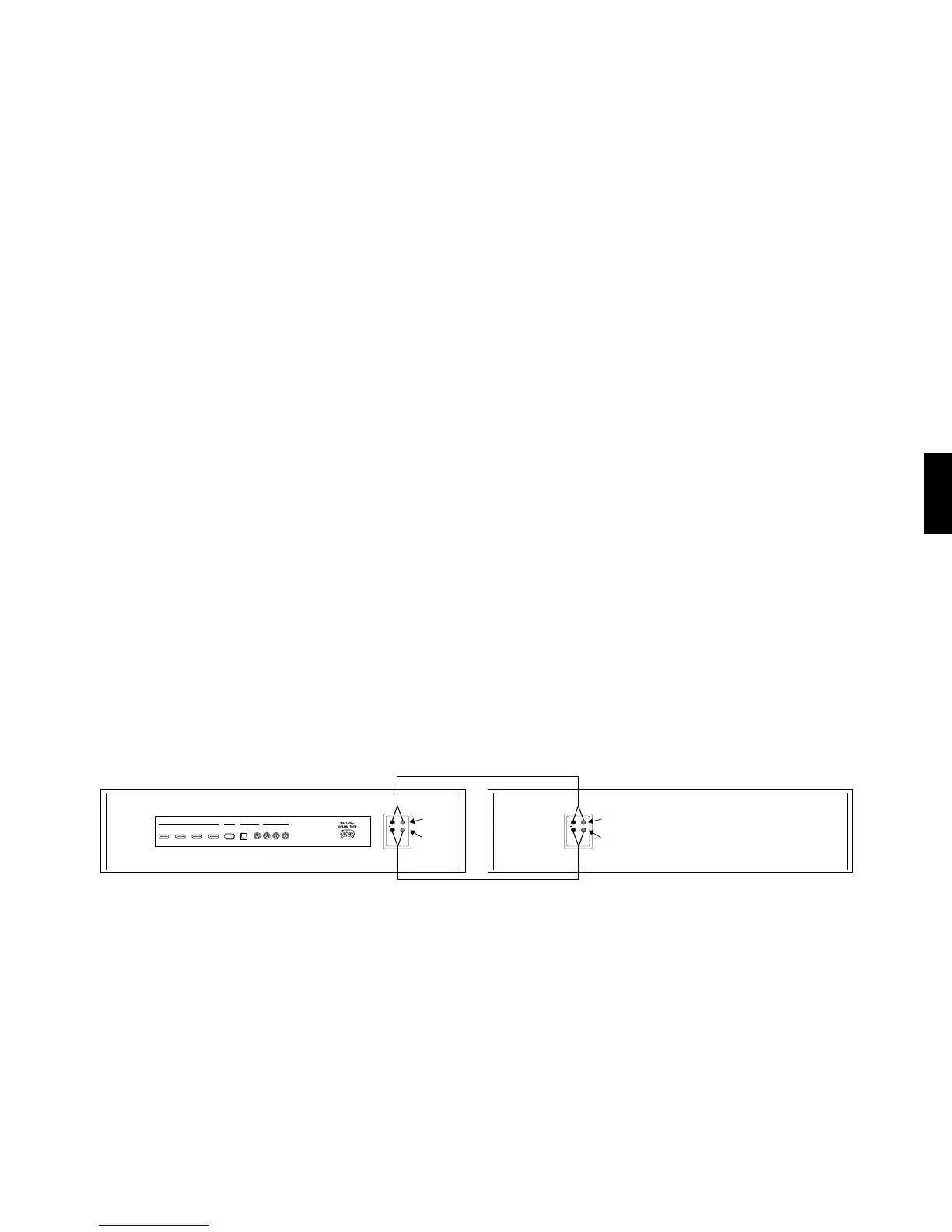
Sound system BRA2: The speaker system is internal connected. Only the source devices like DVD must be connected with the system.
Sound system VRA2: Please refer to the connection diagram below. Use only the speaker cables included in the delivery to connect the speakers
to the screw terminals „HF“ and „LF“ on the back of the amplier module (strip cable ends by about 1 cm). Please note the correct polarity, red for
plus (+) and black for minus (-). Simply use the marking on the supplied cable. Make sure the stripped cable end does not come into contact with
the rear panel. (Risk of short circuit!)
HDMI SERVICE ANALOGDIGITAL [S/PDIF]
OUTPUT
[ARC]
INPUT 1
[HD1]
INPUT 2
[HD2]
INPUT 3
[HD3]
OPTICAL IN
[OPT]
COAXIAL
[COX]
SUB
OUT
L INPUT R
[AUX]
HF
LF
+
HF
LF
+
Right / Active Left / Passive
HF
LF
HF
LF



 To Next Page