Congurating the inputs (INP)
When the device is supplied all the physically existing inputs are provided with a source description. These are as follows: ARC = TV; HD1 =
BDP; HD2 = SAT; HD3 = PS; COX = DVD; OPT = CD; AUX = VCR; BT = Bluetooth®. You can congure the names allocated to the various
inputs to suit your source device.
To congure the descriptions proceed with the following steps:
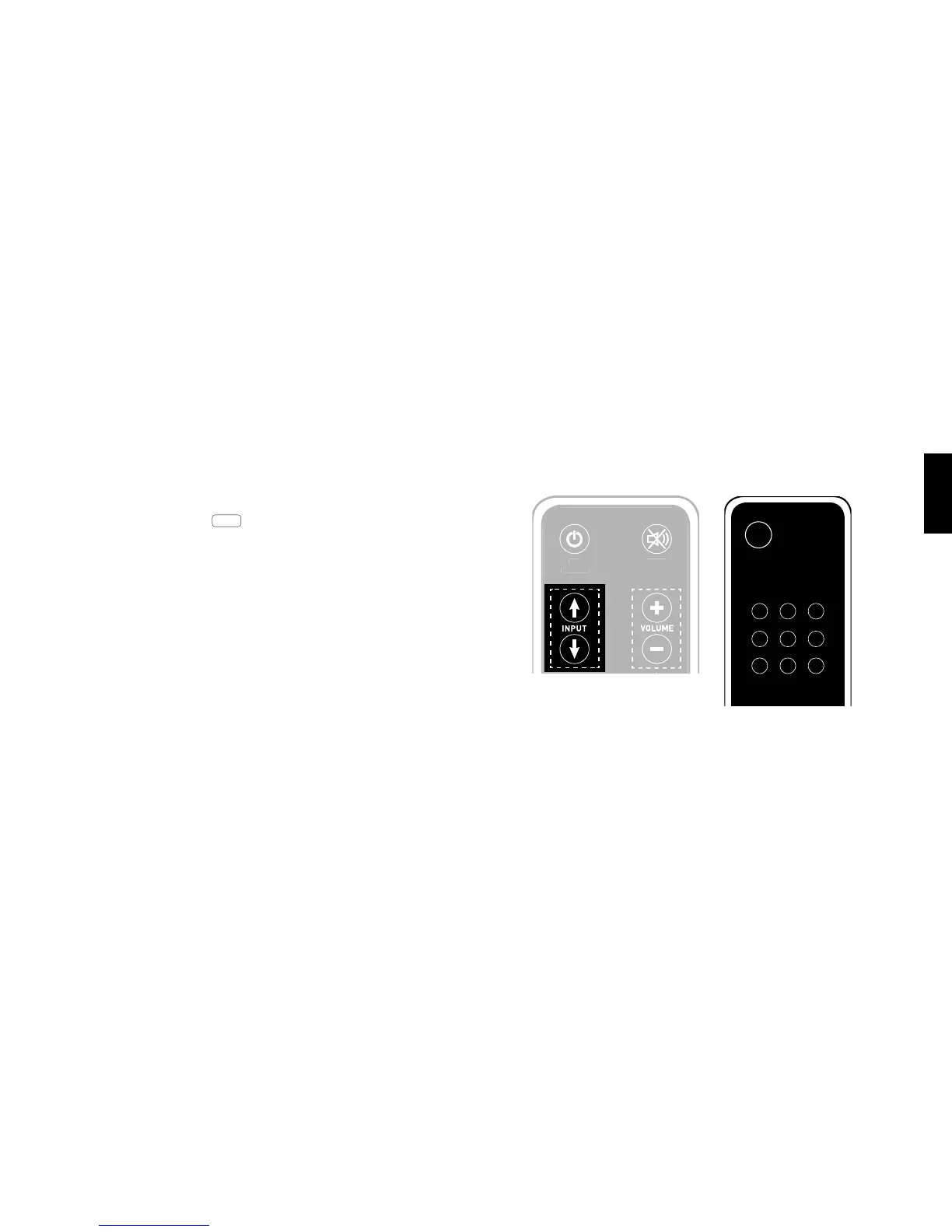
1 With the device switched on press and hold one of the two “Input” keys
for more than 3 seconds until INP appears on the display.
2 Now press one of the two “Input” keys briey to select the desired physi-
cal input (ARC, HD1, HD2, etc.)
3 Now press one of the “Volume” keys briey to select the desired descripti-
on. You can choose from the following predened descriptions: “---” (Input
deactivated), TV, BDB, SAT, CD, DVD, CAM, REC, PAD, POD, TAB, TU N, DAB,
PS, VCR.
4 To allocate a description to an additional input, repeat steps 2 and 3.
5 Exit the menu by pressing and holding one of the two “Input” keys again
for more than 3 seconds. If no input is received within 10 seconds the
device will automatically leave the conguration menu.
Remote control
Note: Inputs that have been deactivated “---” will no longer
be shown when scrolling through the inputs (input key). This
makes it easier to select the desired input.
Comment: The description for the BT input cannot be chan-
ged. If you have deactivated all inputs, BT (Bluetooth®) remains
a xed input choice.



 To Next Page