44
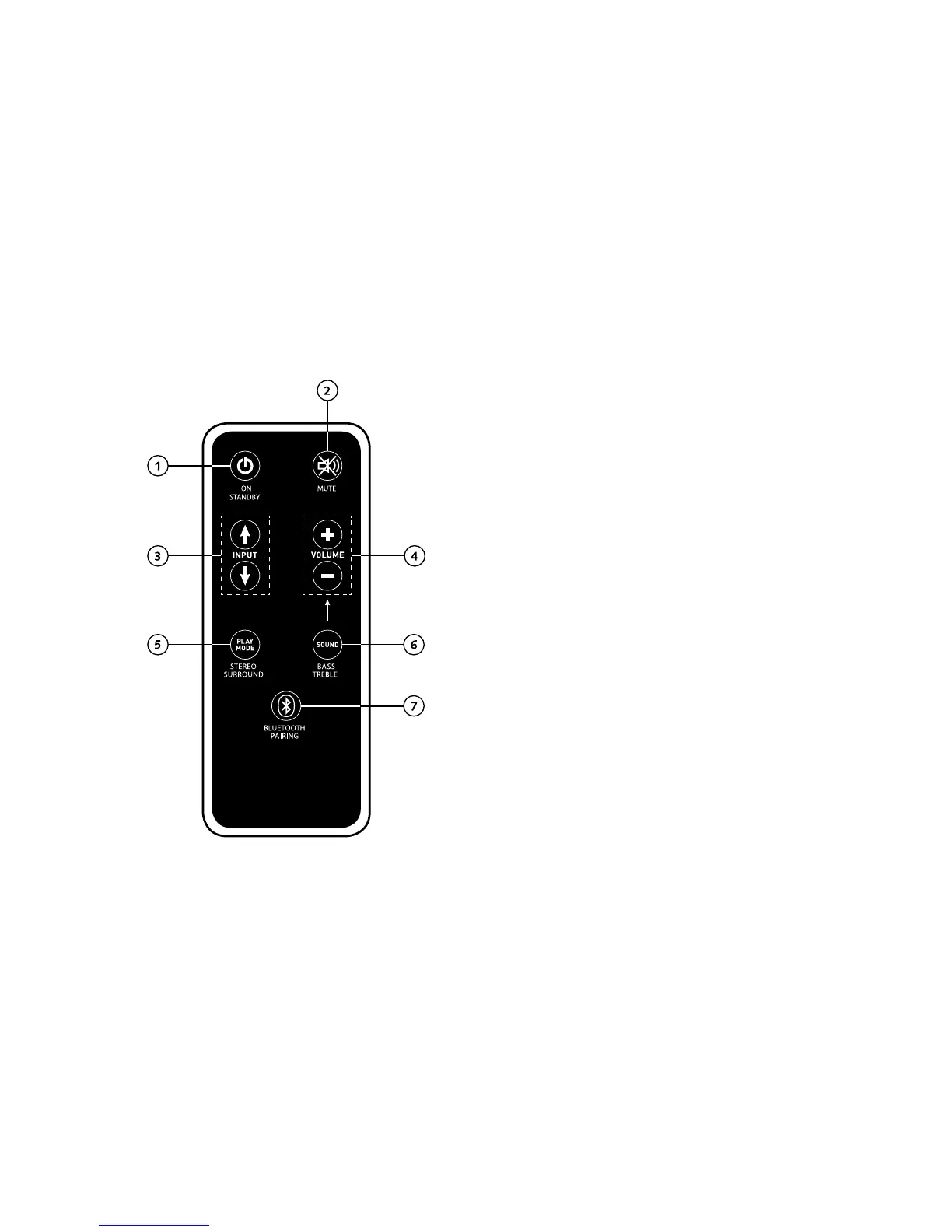
Remote control
Operation
1 Power
On – LED shines green
Standby – LED shines red
Sound system unplugged – LED is not lit (OFF)
2 Mute
3 Input
4 Volume
5 Play Mode
Stereo – for music
Surround – virtual surround sound for home cinema
6 Sound (tone settings)
Bass – Adjustment via Volume control (+6... –6 dB)
Treble – Adjustment via Volume control (+6... –6 dB)
7 Bluetooth® Pairing
Connection with a Bluetooth®-enabled source
Memory function
After being temporarily disconnected from the power
supply, the sound system automatically switches to the last
settings selected. All settings (e.g. Volume) will remain the
same.



 To Next Page