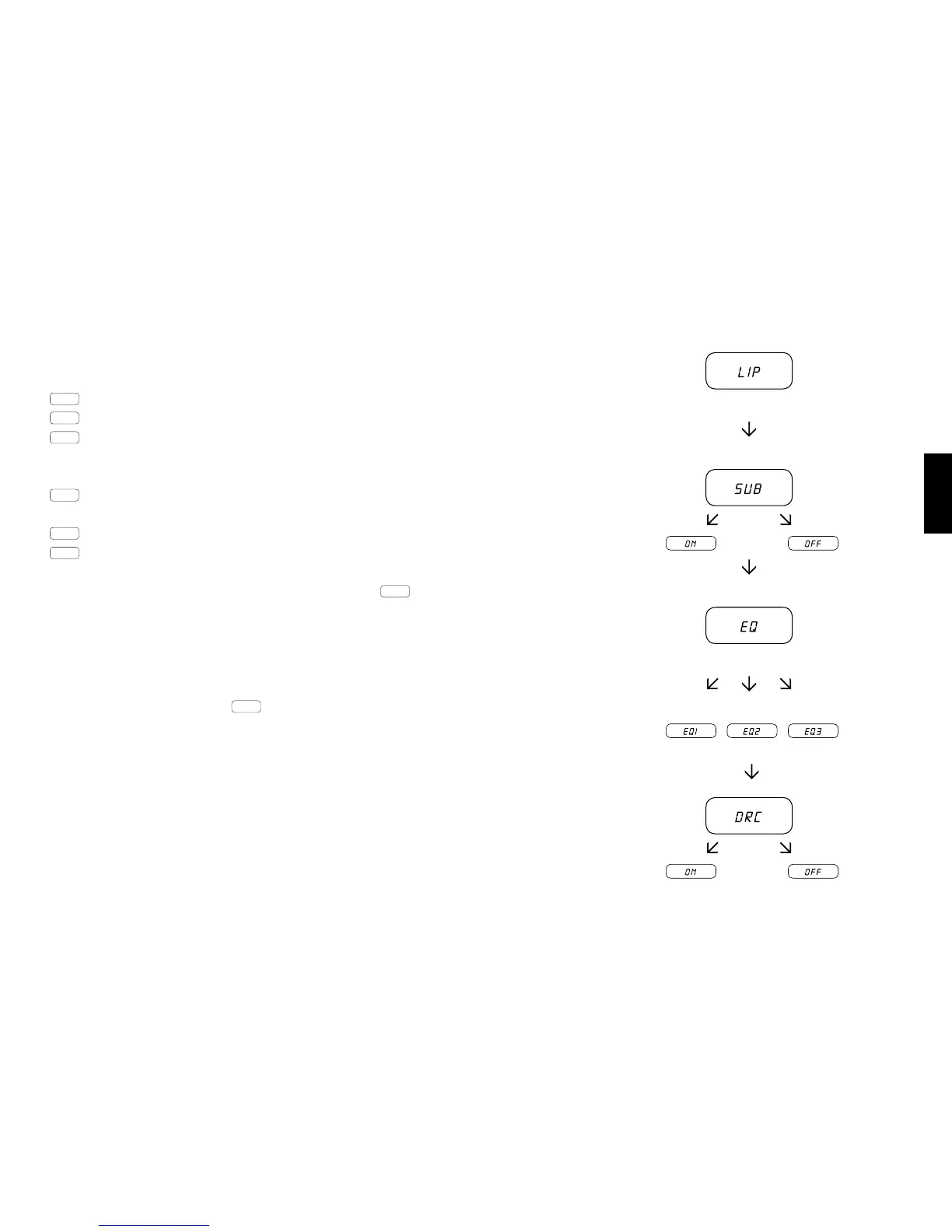
Sound system BRA2
EQ1 for a sound system that is placed at ground level (factory setting).
EQ2 for a sound system that is placed approximately 20-25cm above the ground.
EQ3 for a sound system that is placed approximately 40-60cm above the ground.
Sound system VRA2
EQ1 for a sound system in about 20-25cm above the ground
placed freely suspended element (factory setting).
EQ2 or a sound system that is placed approximately 20-25cm above the ground in an element with substructur.
EQ3 for a sound system that is placed approximately 40-60cm above the ground.
After pushing the „Sound“ button again, the display jumps to the DRC
„Dynamic Range Compression“ is a Dolby Laboratories setting. When activated, the dynamic range for Dolby en-
coded streams can be automatically lowered, thereby reducing dierences in volume. Doing so raises soft tonesand
lowers loud.
Use the Volume + / - keys to set the DRC function can be switched on or o.
Exit menu
Press and hold the « Sound » key again for longer than 3 seconds to exit the « Extended functions » menu.
If the sound system does not receive any input instruction from the remote control within a period of 30 seconds the
menu navigation returns automatically to normal mode.



 To Next Page