101501-565 Rev C Page 10 of 58
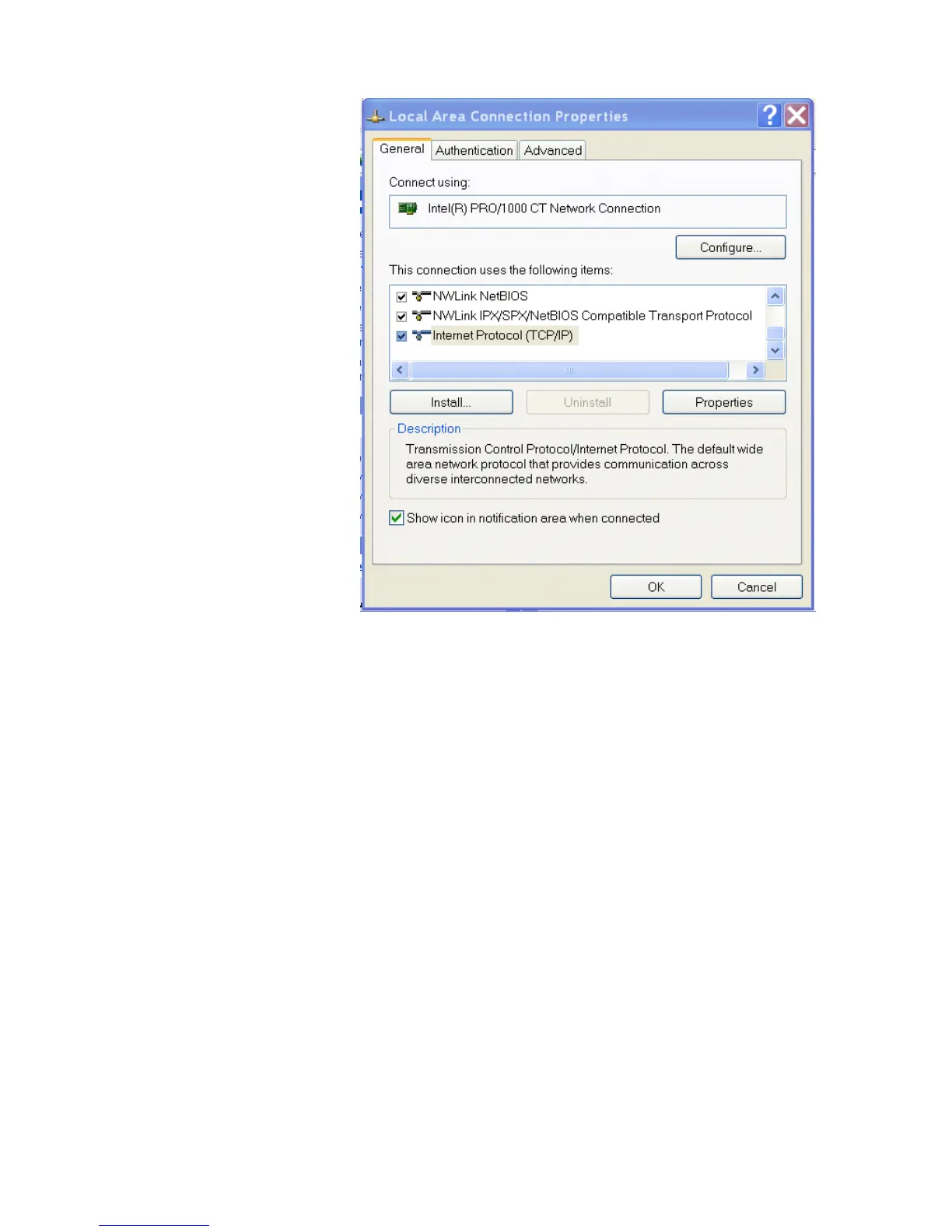
Figure 19 – Local Area Connection Properties
Now you must select “Internet Protocol (TCP/IP)” and click on the
Properties button to be brought to figure 20. Lastly you must
disable any firewall software you have running. If you are running a
proxy server for Internet access, you must also disable the proxy
client. Disabling this also requires a reboot.


 To Next Page