PROCEDURE NO.: 100960-551 REV: B SHEET 2 OF 7
TITLE: TI Upload Procedure
J:\100\100960-551.doc
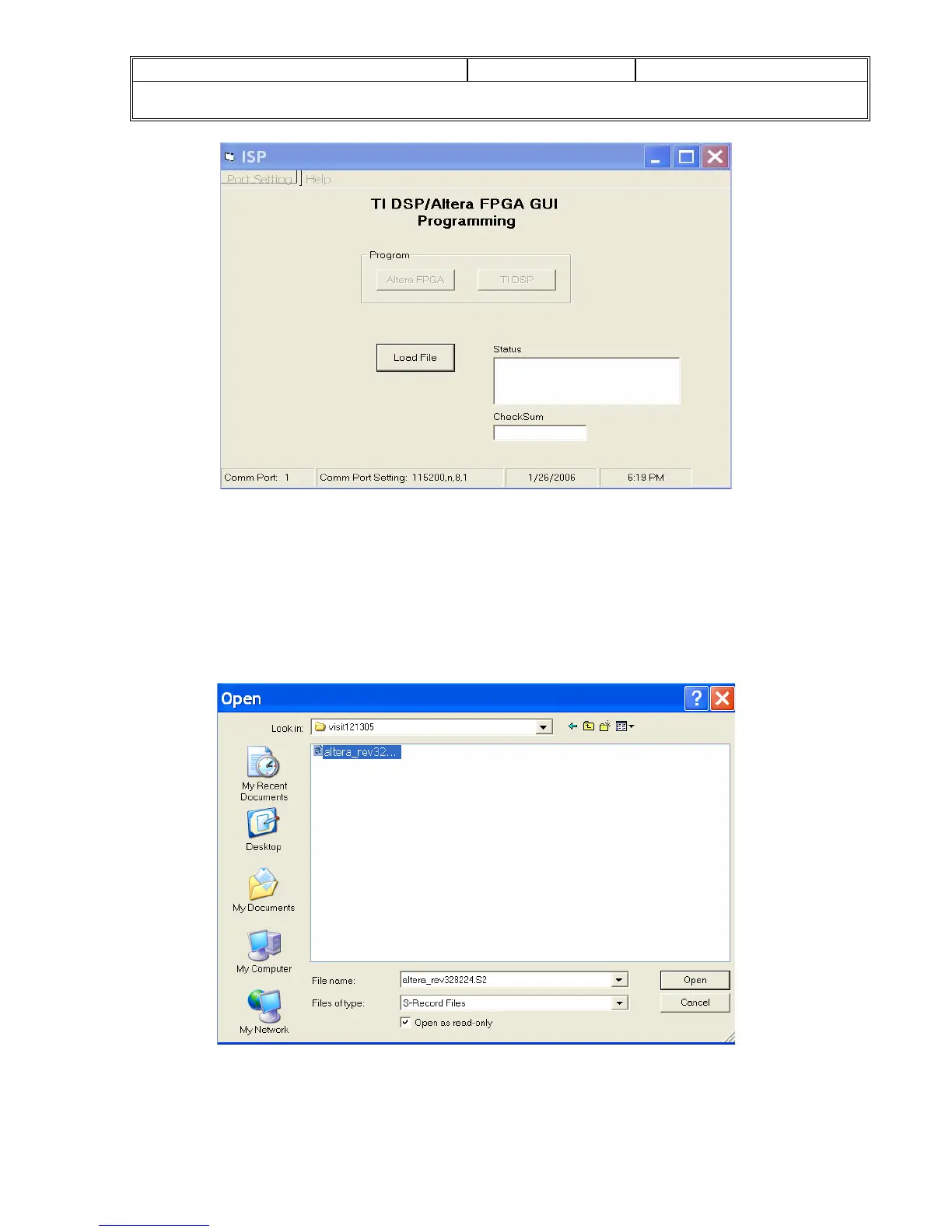
When the Load File Button is clicked the following window will appear.
In this window you can navigate to the directory where the programming
files are stored. The GUI recognizes S record files (SWPxxxx-
xxx.S2/altera_rev###.S2 for the FPGA and SWMxxxx-
xxx.S2/tidsp_rev### .S2 for the DSP). Select the file and click on the
Open Button.
A firmUpload window will open, click the OK button.


 To Next Page