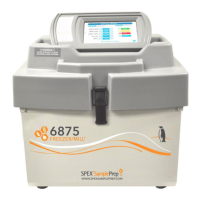
2010 Geno/Grinder
Page 12 of 28 SPEX® SamplePrep LLC July 2014
5.2 Rate Control
The rate of operation is shown as strokes/min. in the lower right-hand corner of the display
screen. One stroke is a complete up-and-down movement of the clamp. The Rate Control
Knob is located below the display screen on the right, and is adjusted in the same manner
as the Timer Control Knob. Press and hold the knob in while turning left or right to
decrease or increase the rate in increments of 10 strokes/min. When the desired rate is
reached, release the Rate Control Knob. If the knob is turned without pressing it in, the rate
setting will not change. The minimum rate is 500 strokes/min.; the maximum is 1750. The
rate setting is saved once the Geno/Grinder is operated at the new setting. When the
Geno/Grinder is turned off, it will revert to the last saved rate setting upon start-up. To
save a new rate setting, use the rate control knob to adjust the setting and press the green
START button to operate.
5.3 START and STOP Buttons
Pressing the green START button will start the Geno/Grinder in its timed run. The
Geno/Grinder will stop automatically at the end of a run. A run can be interrupted by
pressing the red STOP button. This will stop the operation and reset the timer. Normally,
the STOP button is used only in an emergency or when the unit is being test-run for a short
period of time.


 To Next Page