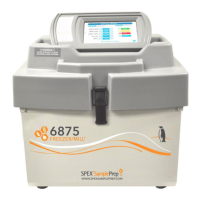
2010 Geno/Grinder
Page 22 of 28 SPEX® SamplePrep LLC July 2014
8.0 ERROR MESSAGES
8.1 Lid Error
If the top cover is opened while the Geno/Grinder is running, the mill will stop running and
the screen will display a “LID ERROR” message. The timer will maintain the time remaining
in the run. To restart, close the cover and press the green START button to finish the run.
To end the run and reset the timer, press the red STOP button. The “LID ERROR” message
will disappear once the cover is closed.
8.2 Rate Error
If a “RATE ERROR” message appears on the screen, this indicates the Geno/Grinder is not
operating within an acceptable range of the set rate. Press the red STOP button to
discontinue operation and contact SPEX SamplePrep Customer Service at 1-855-438-7739,
Ext. 465 for assistance.
9.0 MAINTENANCE
The 2010 Geno/Grinder has been designed to provide trouble-free operation over a long
period of time. To assure proper performance, the most important factor is cleanliness. Any
spills should be wiped up immediately.
The 2010 Geno/Grinder cabinet is made primarily of painted steel. The front panel is
painted plastic. The interior as well as the exterior surfaces of the unit are designed to be
easily cleaned in case of a sample spill. To maintain the overall appearance of the unit,
occasionally wipe the exterior and interior of the Geno/Grinder with a mild window cleaner or
similar product (use a soft non-abrasive cotton cloth).
There is a raised “dam” around the clamp shaft to keep spilled liquid from dripping onto the
motor or drive mechanism; however, any spills should be cleaned up immediately. It is
never a good idea to leave the cabinet dirty. Sample contamination and/or equipment
damage can result.
If service is required, please call SPEX SamplePrep Customer Service at 1-855-438-7739, Ext.
465 for assistance with any questions you may have.
NOTE: Disconnect the electrical cord of the Geno/Grinder before beginning any cleaning or
maintenance of the unit.


 To Next Page