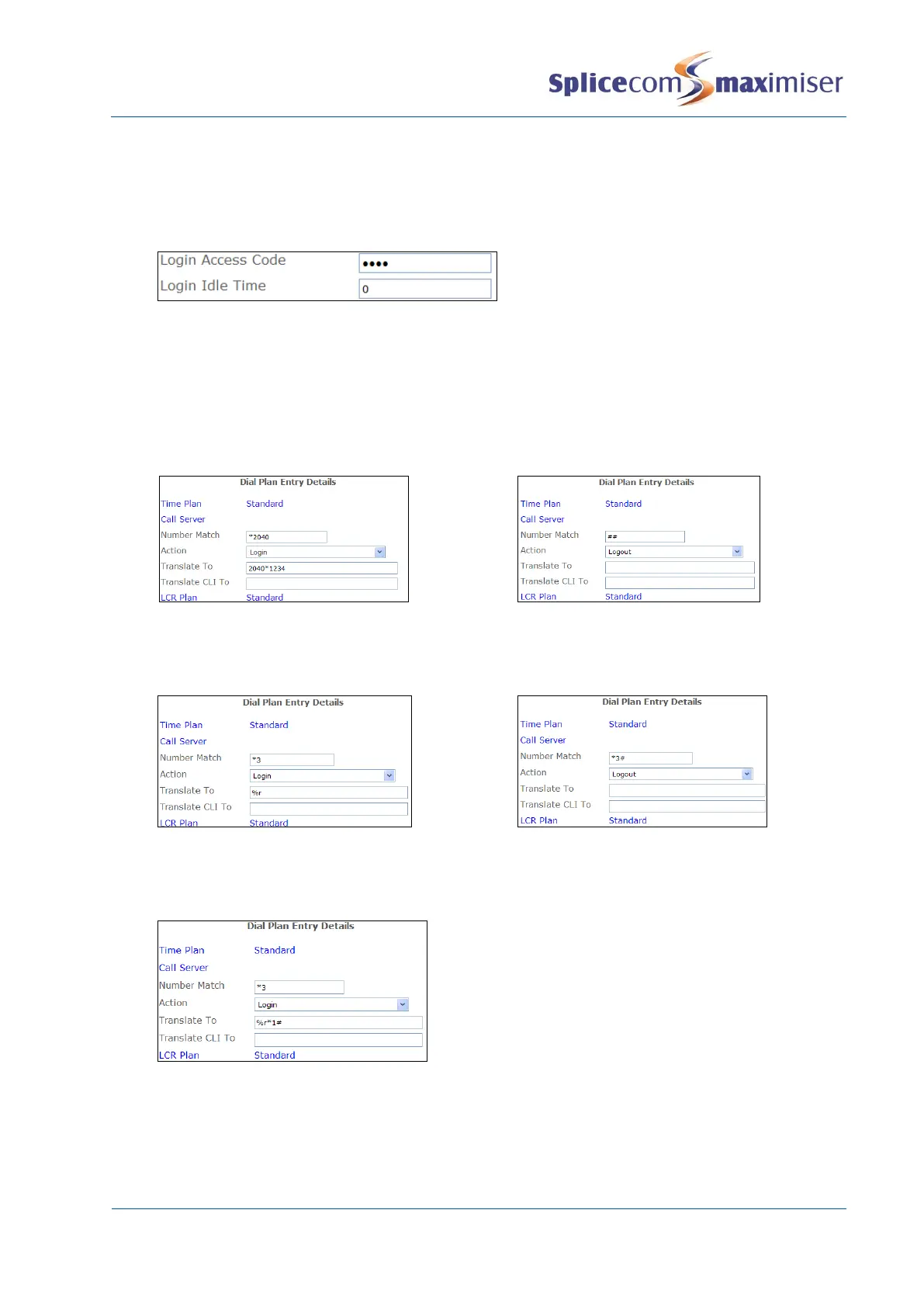
10 Select the Telephony page
11 In the Login Access Code field enter a number (max 8 digits) that will be the User’s passcode.
12 If required, in the Login Idle Time field, enter the number of seconds this User will be idle before
being automatic logged off. (By default this is set to 0 meaning that the User will not be
automatically logged off and will need to manually log off.)
13 Select Update or Apply when ready
The User’s Login Access Code field can contain an asterisk (*). This means any number can be entered
during the log in process.
The User will now be able to log on to :-
1 An analogue handset via a Dial Plan entry, similar to the following examples:
In this example the User’s Login Access Code field
contains an asterisk (*), therefore the Translate To
field must specify the Login Code. The User must
enter *3
extension no
.
(For further information on creating Dial Plan entries please refer to the Working with Dial Plans
section from page 130.)
2 An analogue handset to which no User is assigned – enter
#extn no*login access code#
, eg
#2040*1234#.



 To Next Page