Installation and Maintenance Manual
Working with Voicemail
Installation and Maintenance Manual v4/0615/10 261
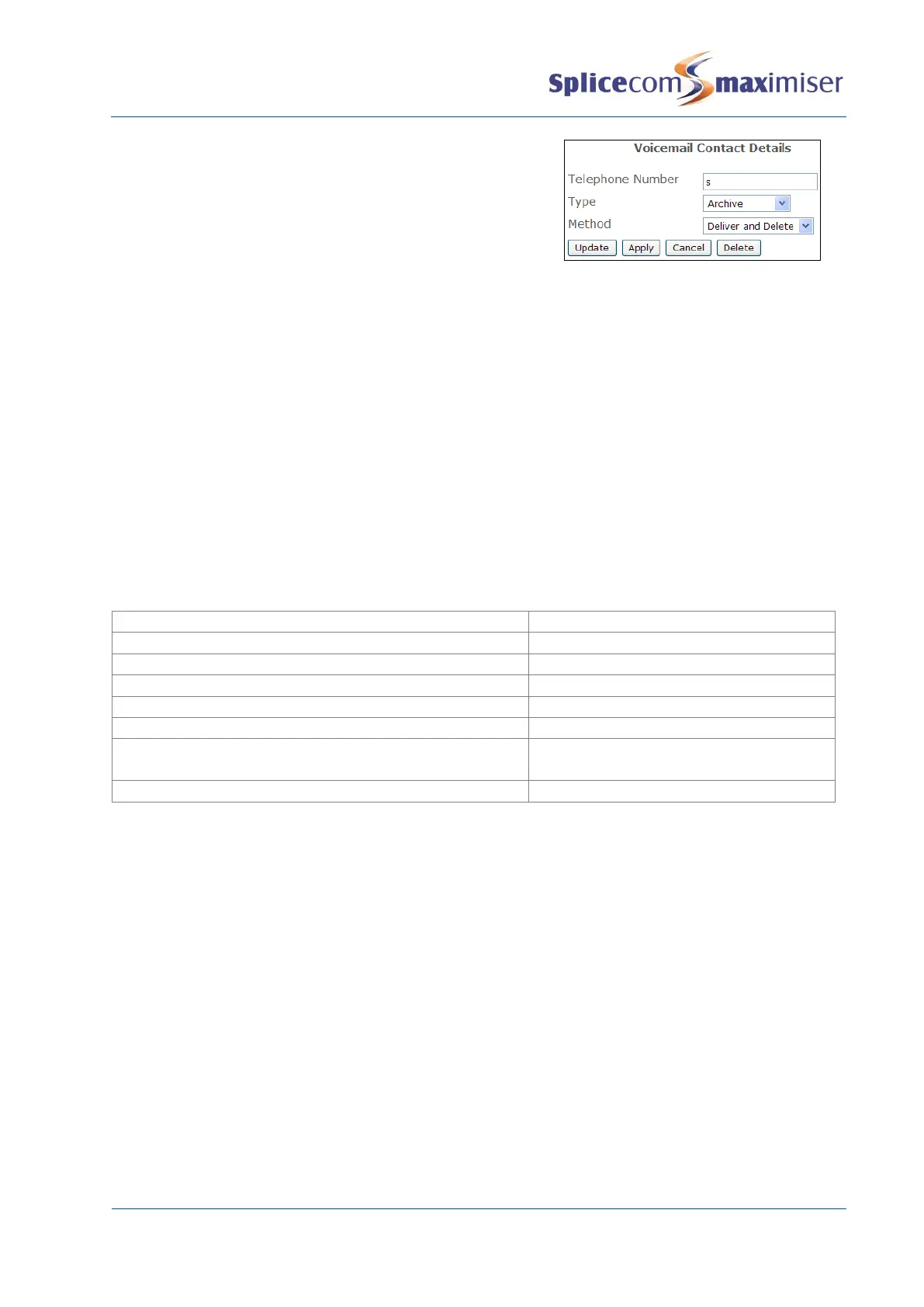
4 Select the Add Voicemail Contact button
5 Add some text to the Telephone Number field – this is
not acted upon but there must be some form of entry in
the field.
6 From the Type list box select Archive
7 From the Method list box select Deliver and Delete or
Deliver
8 Select Update or Apply when ready.
If the Deliver and Delete Method is used the recording will be immediately deleted from the voicemail
server. If the Deliver Method is used the recording will be marked as old on the voicemail server and
deleted after 7 days.
Using Call Recording with Vision
For information on how to set up Call Recording with Vision please refer to the Vision Installation and
Configuration Manual.
Maintaining and Troubleshooting Voicemail
Useful Statistics
Listened to messages deleted after
Messages marked as old after listening to
Daily greetings deleted (if Permanent Greeting recorded)
Voicemail callback attempts
3 mins, 10 mins, 30 mins, 1 hour & every 3
hours
AutoAttendant timed option
Accessing a Voicemail Box
Each User’s and Department’s voicemail box can be viewed and maintained by accessing the Mailbox
directory on the Call Server as follows.
Via your browser:
1 Enter ftp://voice:<maintainerpassword>@<ip address>,
eg ftp://voice:password@192.168.0.1
2 Each voicemail box is displayed
For information on how to set the Maintainer password used to access the Mailbox directory via FTP
please refer to the System Passwords section from page 272.
Via the Telnet:
1 Telnet on to the system using Root access as described in the Root Access to a Call Server section
on page 272
2 Enter cd /voicemail/Mailbox, then press Enter
3 Enter ls to view each mailbox



 To Next Page