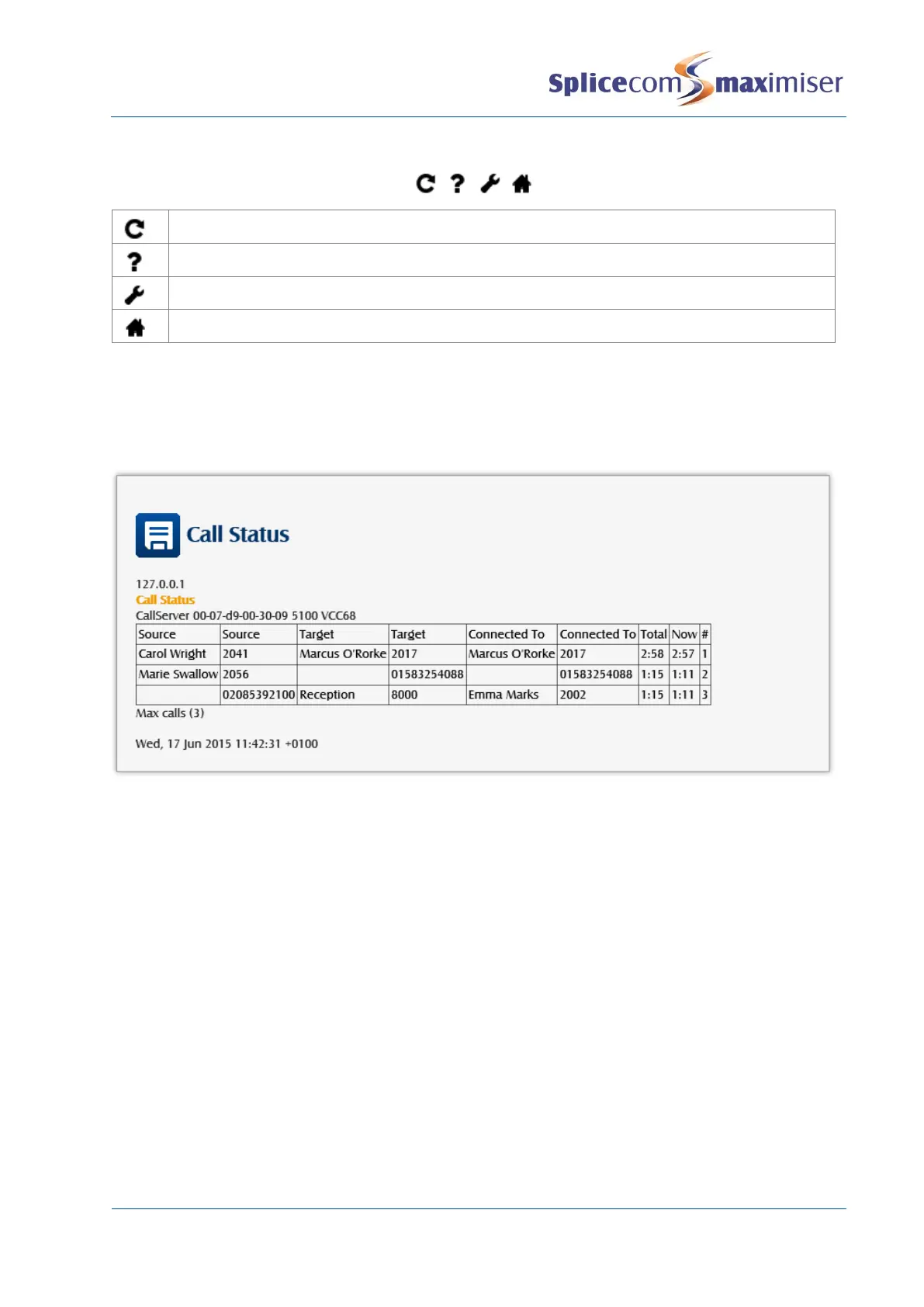
Call Status
Call Status can be accessed via Manager Assist by selecting System Utilities and then Call Status. This
application allows all calls on the system to be viewed.
Source:
Outgoing external or internal call - name and extension number of the User making the call.
Incoming call – name (if the incoming CLI is matched in the Contacts database) and number of the caller
(if CLI is presented with the call)
Target:
Outgoing external call – name (if the number dialled is matched in the Contacts database) and the
number dialled.
Incoming external or internal call – the name and extension number of the User or Department receiving
the call
Connected to:
Outgoing call - the number the User was actually connected to.
Incoming external and internal call - the name and extension number of the User who answered the call.



 To Next Page