Installation and Maintenance Manual
Configuring system functionality
124 Installation and Maintenance Manual v4/0615/10
Using the Park facility via Dial Plan entries
A call can be parked and picked up via a Dial Plan entry as per the following examples. The call must be
put on hold first and then the relevant short code is entered. (Please refer to the Working with Dial Plans
section for further details on creating a Dial Plan entry.)
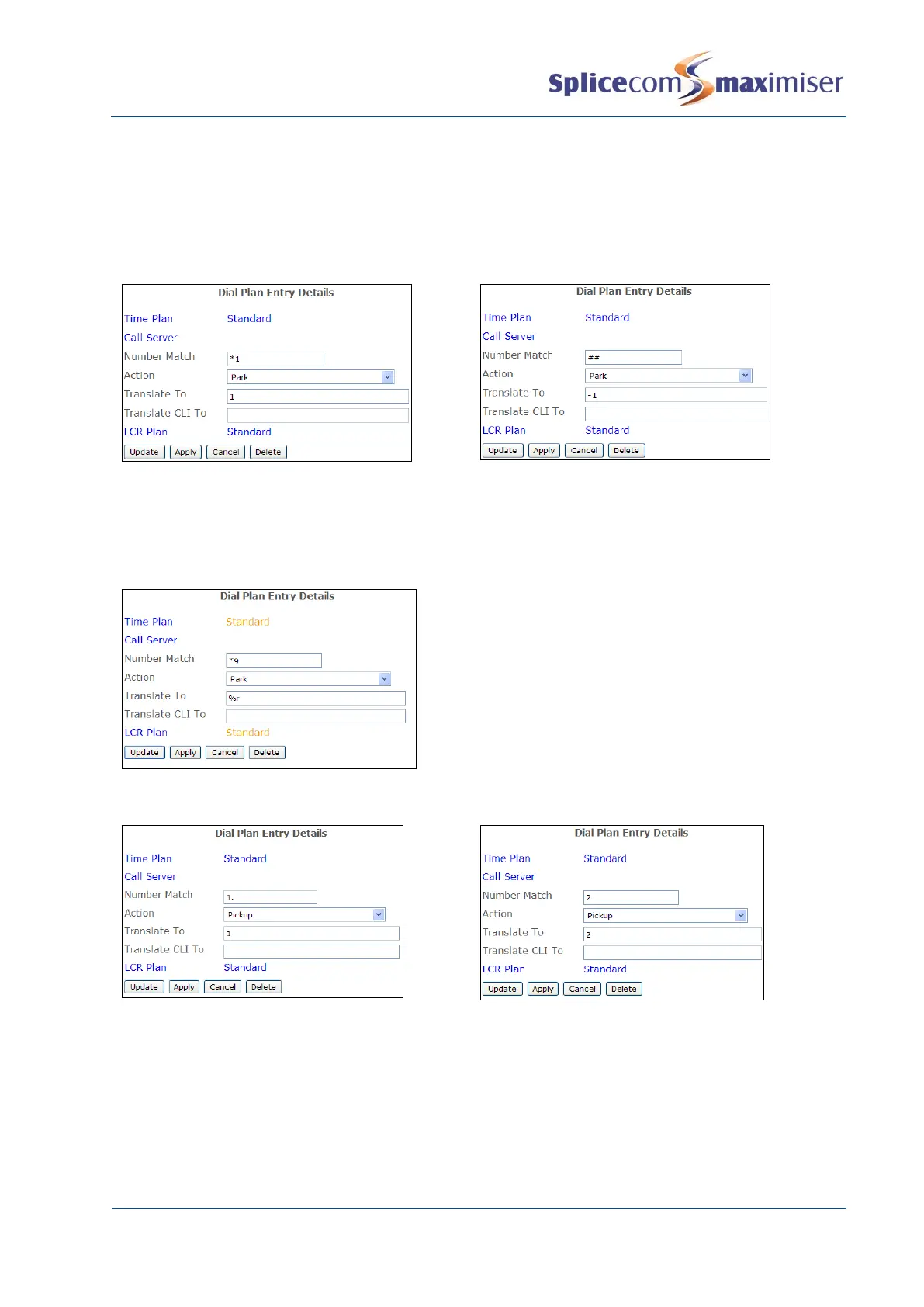
Park a call
The number of the Park Slot in which a call is to
be parked is entered in the Translate To field.
An entry can be created for each park slot to be
used.
The call will be parked in the next available slot
starting at 1. The User will be informed via a
recorded message which slot the call has been
parked in.
The call will be parked in the slot number entered
in the Translate To field. Therefore, in this
example, the User would enter *955 to park the
call in slot 55.
The number of the Park Slot from which a call is to be picked up is entered in the Translate To field. An
entry can be created for each park slot to be used.



 To Next Page