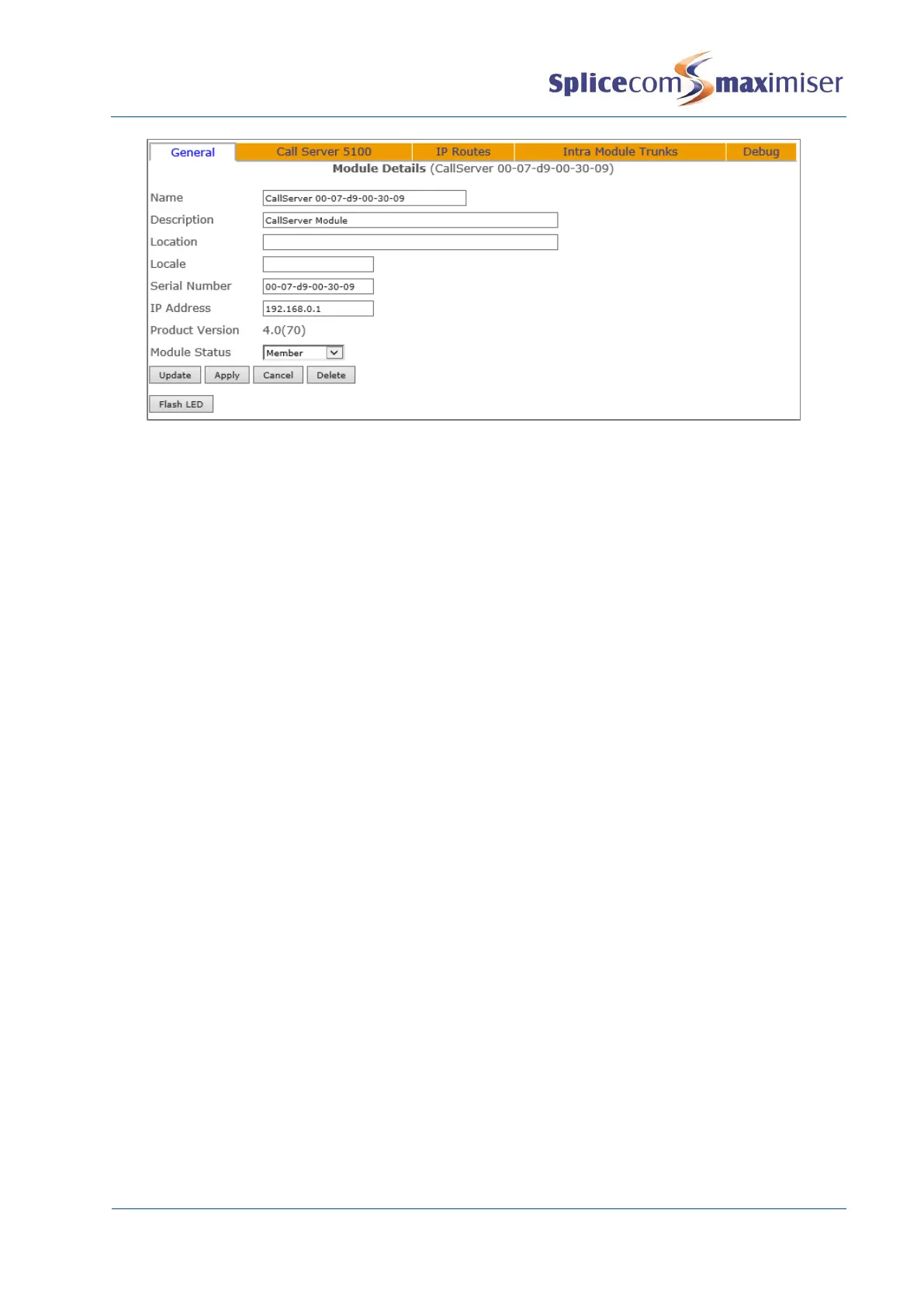
The Flash LED button will instruct the Call Server’s SpliceCom LED to flash 20 times. This feature is useful
when multiple Call Servers are being used on a system and will identify the physical Call Server from its
configuration form. For information on working with multiple Call Servers please refer to page 83.
Please note: that for a S8000/S716 Call Server the IP address field cannot be changed and the IP Routes
tab will not be available as this information is taken from the Linux PC.
For further information on upgrading the software on a Call Server please refer to Upgrading a System
from page 286. For further information on using the Module Status field please refer to Connecting
Mulitple Call Servers on page 83.
Setting the IP Address of a 5100/5108 Call Server
By default, a 5100/5108 Call Server will have an IP address of 192.168.0.1. To change this address the
following configuration can be made:
1 In Manager, select Modules
2 From the Modules list select the Call Server required
3 The Module Details form for that Call Server will be displayed.
4 Within the IP Address field enter the IP Address to be used by the Call Server.
5 Select Apply when ready.
6 Select the Call Server page and within the DHCP Base Address field enter address for the network
the Call Server is to connect to (default = 192.168.0.0).
7 Within the DHCP Base Mask field enter the subnet mask for the network that the Call Server is to
connect to (default = 255.255.255.0).
8 Select Update or Apply when ready.
9 Reboot the Call Server (please refer to page 283 for information on how to reboot a Call Server.)
Please note that if the Call Server has DHCP enabled (as described below) and this IP address is not on
the same network as the DHCP Start and End Address, DHCP will not be operational.



 To Next Page