Viewing a Department’s Out of Hours Mode
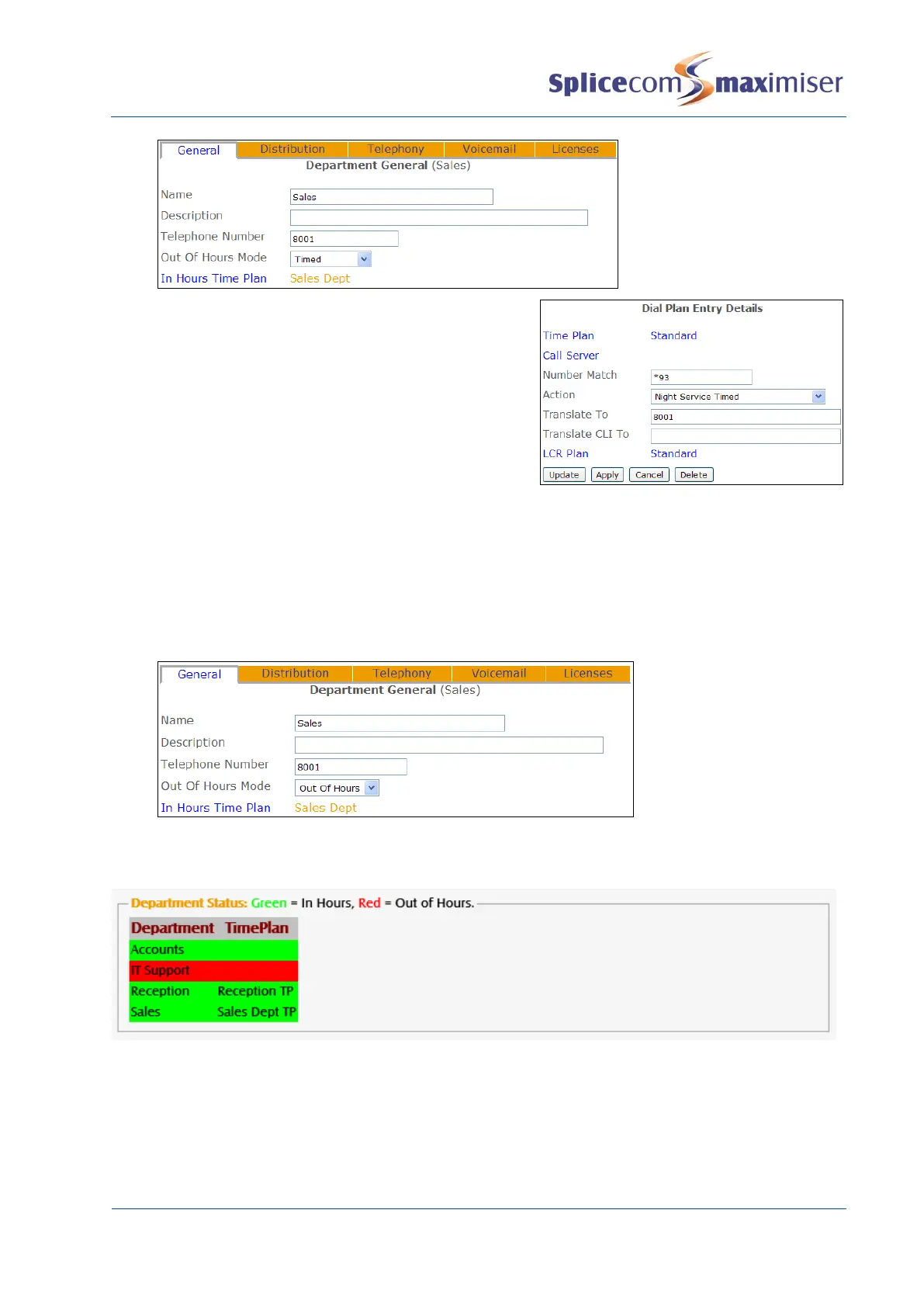
The Out of Hours Mode field within a Department’s configuration form will display the mode currently
being used by the Department.
1 In Manager select Departments.
2 Select the Department required
3 The Out of Hours Mode field will display Not Used, In Hours, Out of Hours or Timed.
The current status of a Department (either In Hours or Out of Hours) can also be viewed via Manager
Assist. Select System Checks and then Time Check.
Using an Out of Hours Distribution Group
When a Department’s Out of Hours Mode field is set to Out of Hours calls can be passed to an Out of
Hours Distribution Group. When a Department’s Out of Hours Mode field is set to Timed calls can be
passed to an Out of Hours Distribution Group when the time is outside of the Time Bands specified in the
Time Plan.



 To Next Page