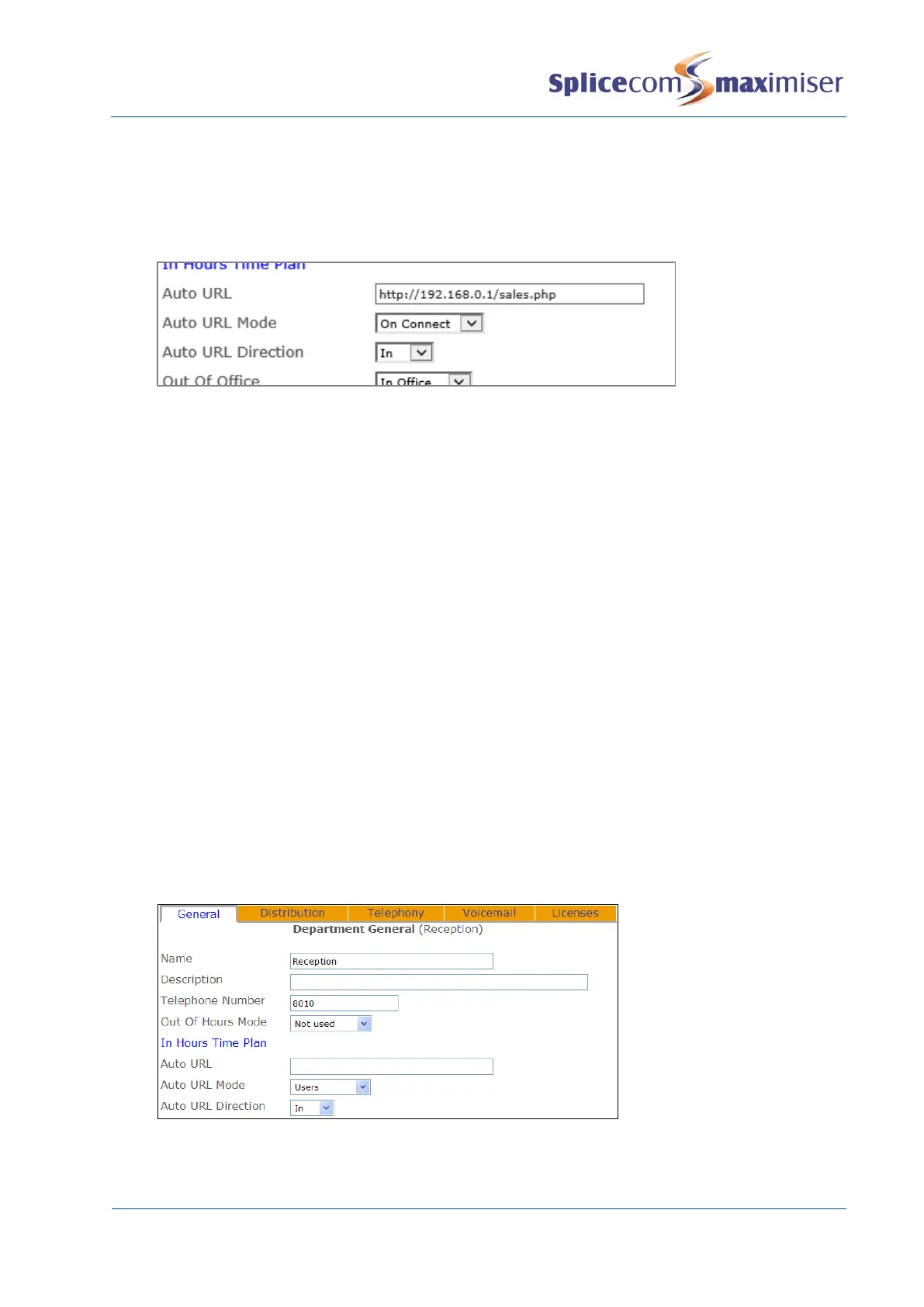
a Both – the web page will be displayed on the PCS making the call and on the PCS receiving
the call for this Department
b In – the web page will only be displayed on the PCS receiving the call for this Department
c Out – the web page will only be displayed on the PCS making the call to this Department
6 Select Update or Apply when ready.
(Please note that the Auto URL settings for a Contact take priority over the Auto URL settings for a
Department.)
Displaying a Directory
If a member of a Department is using a PCS 50 or 410/400 a list of Users or Departments or the User’s
speed dials can be displayed when a call is made to and/or received for a Department to help them
process the call efficiently. This feature would be useful to an Operator/Receptionist who will be
transferring calls to other Users or Departments.
1 In Manager select Departments
2 From the Departments list select the Department required.
3 From the Auto URL Mode list box select one of the following:
a Favourites – the User’s speed dial list will be displayed once a call to this department has been
answered
b Users – the User directory will be displayed once a call to this department has been answered
c Departments – the Department directory will be displayed once a call to this department has
been answered
4 From the Auto URL Direction list box select one of the following:
a Bothway – the directory will be displayed on the PCS making the call and on the PCS receiving
the call for this Department
b In – the directory will only be displayed on the PCS receiving the call for this Department
c Out – the directory will only be displayed on the PCS making the call to this Department
5 Select Update or Apply when ready.
(Please note that the Auto URL settings for a Contact take priority over the Auto URL settings for a
Department.)



 To Next Page