Installation and Maintenance Manual
Configuring system functionality
172 Installation and Maintenance Manual v4/0615/10
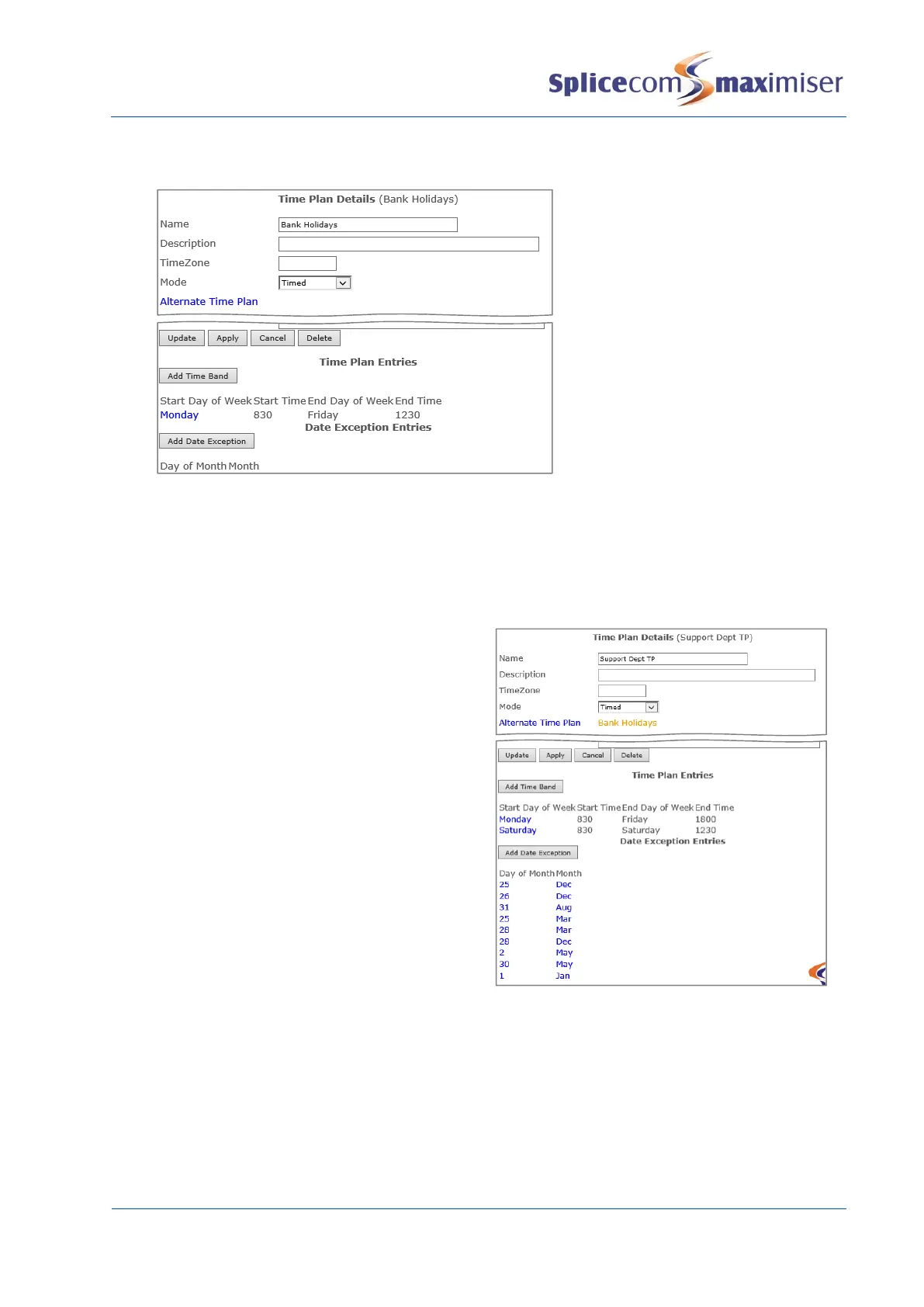
holiday, create a new Time Plan configured with the alternative Time Bands similar to the following
example:
2 Return to the original Time Plan
3 Select the Alternative Time Plan field
4 From the Select Time Plan list select the Time Plan required, eg Bank Holidays
5 Select Apply
Secondly, you will need to enter the dates that the Alternative Time Plan is to be used as follows:
1 Select Add Date Exception
2 In the Day of Month field enter the date
required
3 From the Month list box select the month
required
4 Select Update
5 Repeat steps 6 to 9 until the all dates required
have been entered
6 Select Update or Apply when ready.
View the status of a Time Plan
The current status of a Time Plan (either In Hours or Out of Hours) can be viewed via Manager
Assist>System Checks>Time Check.



 To Next Page