Routing a Caller on Busy or No Answer
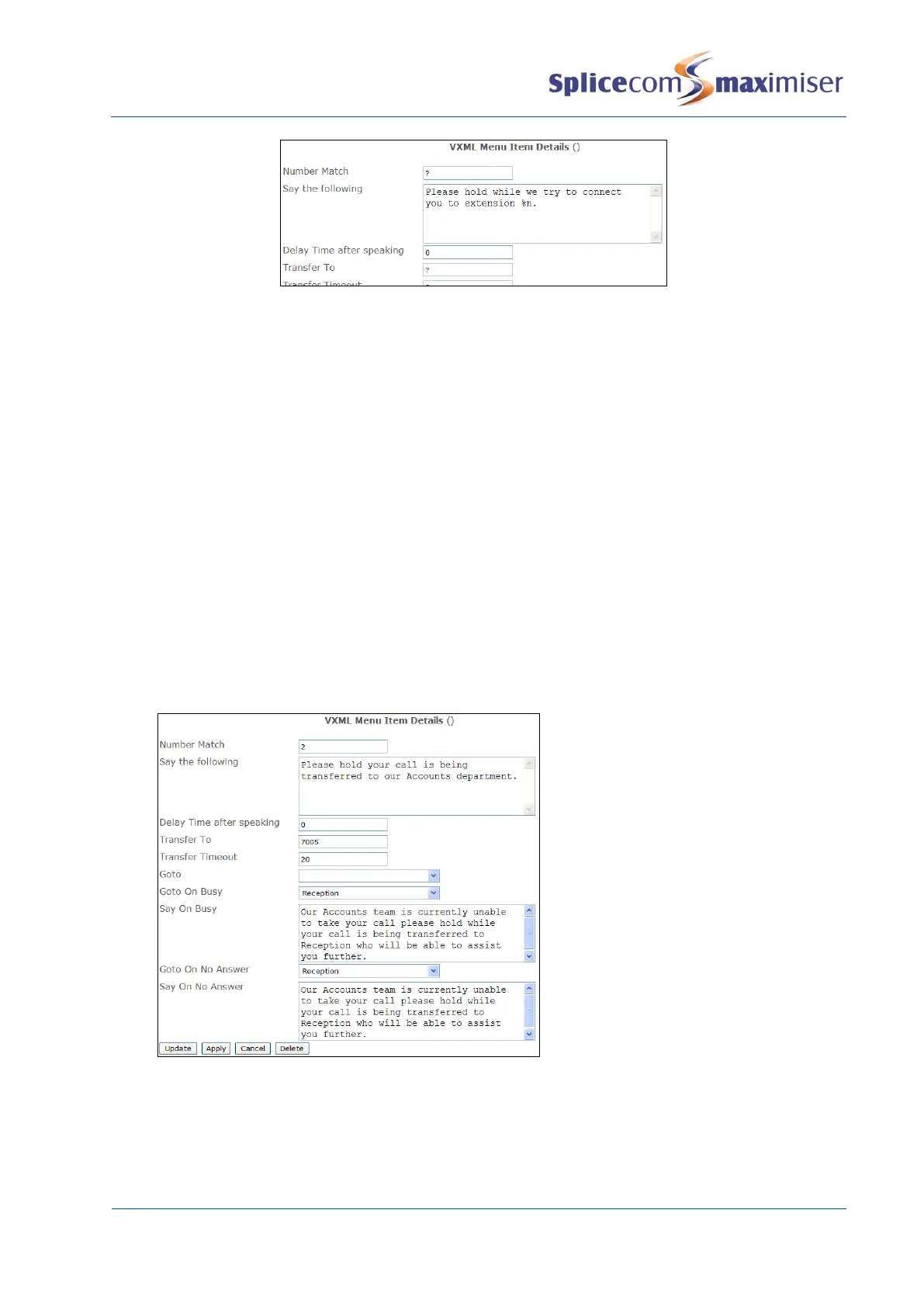
When the Transfer To extension number is busy and/or not answered the caller can be presented with an
alternative Form giving, for example, another menu of options or automatically transferring the caller to
another extension. The Form(s) containing the required menu options should be created first and then
the relevant Menu Item should be configured as follows:
1 Open the required Menu Item
2 In the Transfer Timeout field enter the number of seconds required before the Transfer To
extension is considered not answered.
3 From the Go To On No Answer list box select the Form to be presented to the caller after the
Transfer Timeout.
4 In the Say On No Answer field enter the text or .wav file to be played to the caller before
presenting the Go To On No Answer Form.
5 From the Go To On Busy list box select the Form to be presented to the caller when the Transfer To
extension number is busy.
6 In the Say On Busy field enter the text or .wav file to be played to the caller before presenting the
Go To On Busy form.
7 Select Update or Apply when ready



 To Next Page