Setting the IP address and Network configuration
The network configuration of the P308 can be set by accessing the configuration web page as follows:
1. Within any browser enter the IP address of the P308 , eg 192.168.0.38
2. Within the Password: field enter the password for the P308. By default this will be 7388 (the
password is set within the relevant P308’s configuration form as described above).
3. Select the Login button.
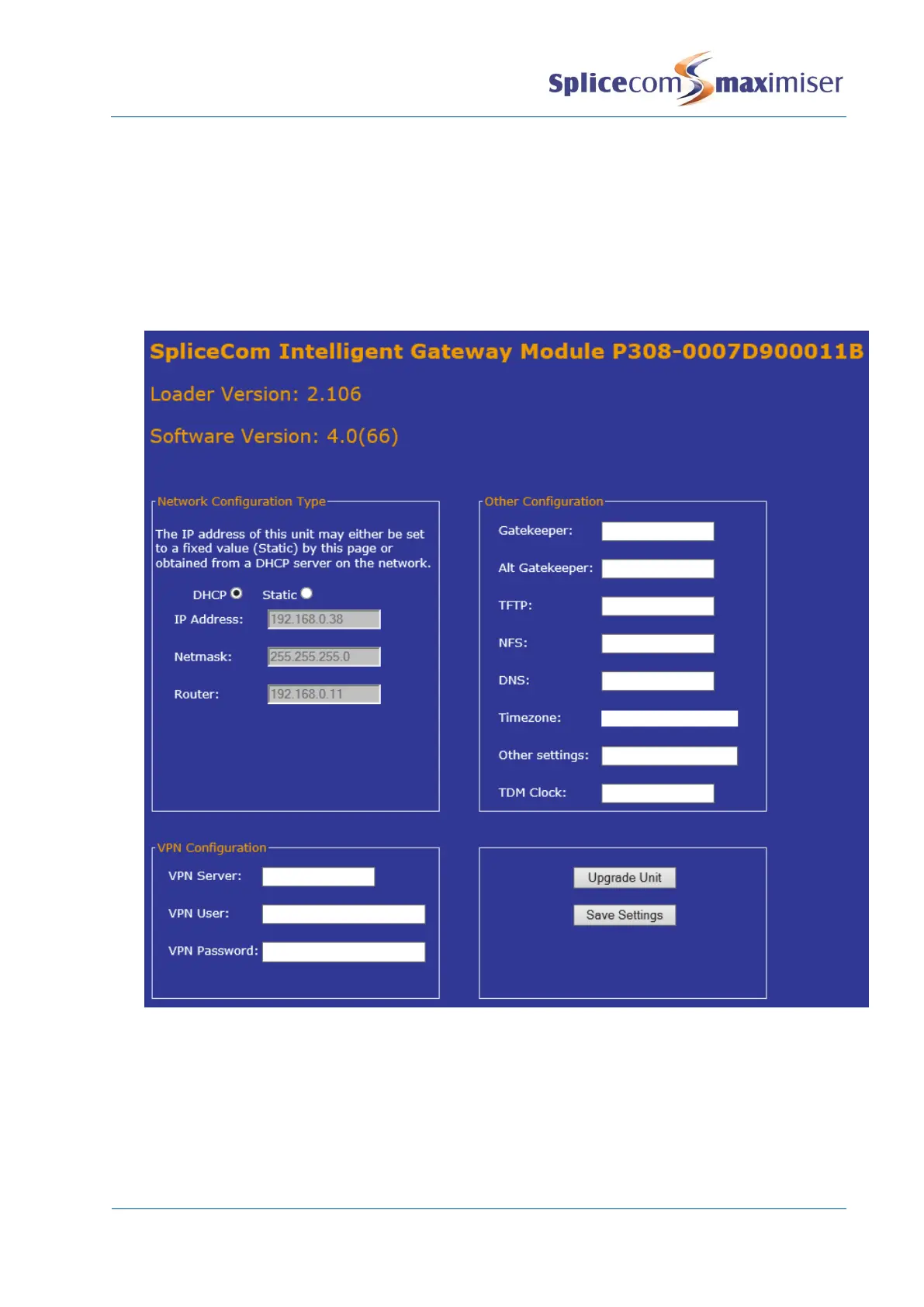
4. The network configuration of the P308 will be displayed with the module type and its hardware
address, together with loader and software version being used by the unit.
Network Configuration Type – this section can be used to give the P308 a static IP address (or return
the module to using DHCP). Select Static and then enter the IP address, subnet mask and default
gateway address required.
VPN Configuration – this section can be used to enter the VPN server settings for the module.
Other Configuration – use this section to set the
x Gatekeeper - the IP address of the S8000/S716/5100/5108/NSG that you want the module to
register to.



 To Next Page