41
DE
EN
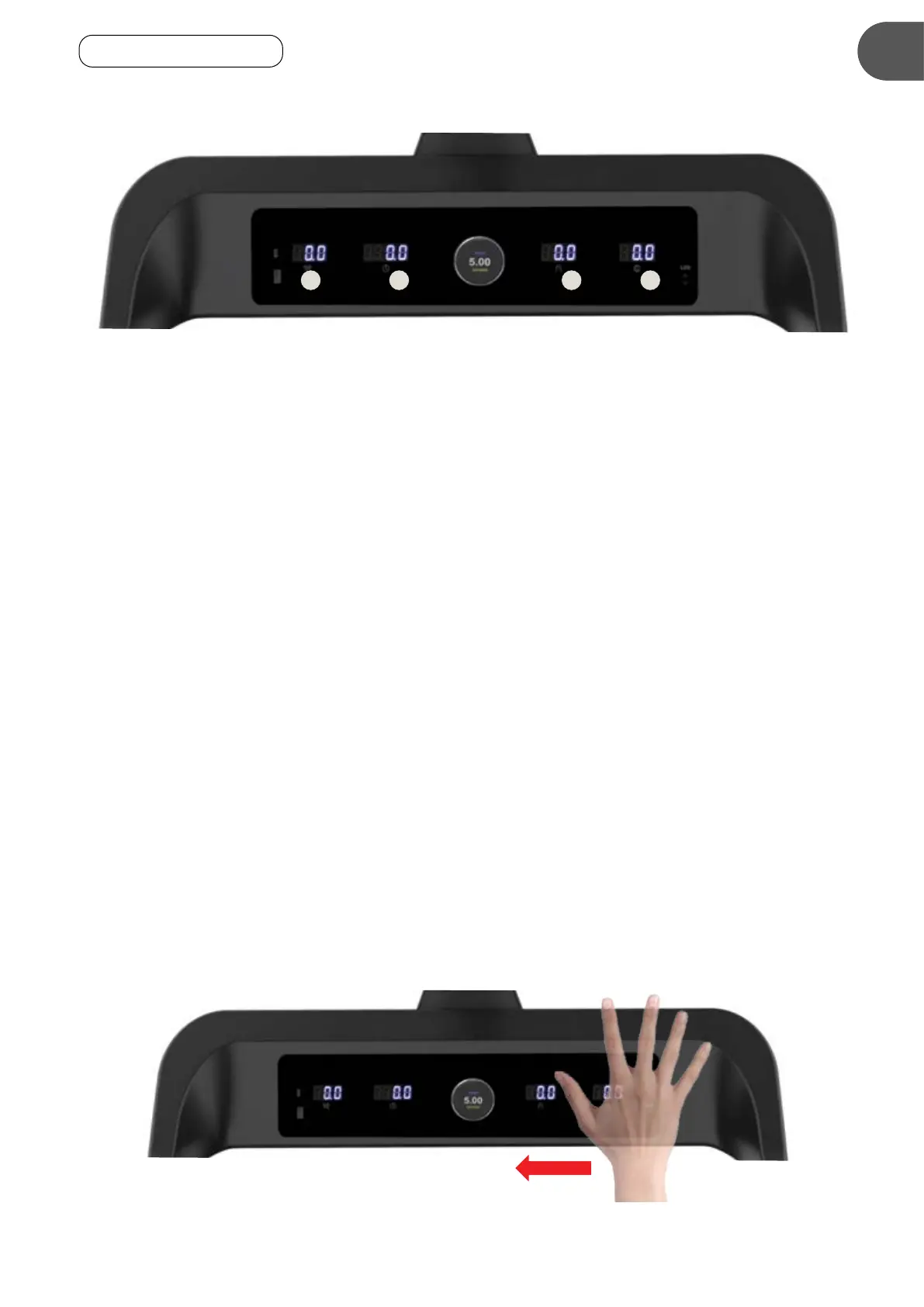
6.2 LCDDISPLAY
The console has four LCD displays. They display the following values (from left to right):
(1) Time: Displays the elapsed time of the current workout. Alternatively, you can set a target time in
STOP mode. To do this, follow these steps:
• Select MODE with the program selector until TIME flashes on the program selector.
• Then press SPEED+ or SPEED- to change the target time. The value can be set from 5 to 99 minutes.
• Press START to begin the program.
(2) Speed: Indicates current speed in the range of 1-20 km/h.
(3) Distance Ran: Displays the accumulated distance during the current workout. Alternatively, you can
set a target distance in STOP mode. Proceed as follows.
• Select MODE with the program selector until DISTANCE flashes on the program selector.
• Then press SPEED+ or SPEED- to select the target distance. The value can range from 1 to 65 km.
• Press START to begin the program.
(4) Calories: Displays the calories burned during the current workout. Alternatively, you can set a
calorie target in STOP mode. To do this, follow these steps:
• Use the program selector to select MODE until CALORIES flashes on the program selector.
• Then press SPEED+ or SPEED- to preselect the limit value. The value can be between
10 and 995 calories.
• Press START to begin the program.
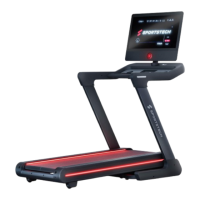
The LCD will turn off after four minutes of inactivity. To reactivate the display
• Slide your hand over the photocell on the right side of the control panel or .....
• Slide the program selector.
1 2 3
4
Gesture for switching the LCD backlight on and off


 To Next Page