Operators manual MODEL 80XX Planter
page 28 of 173
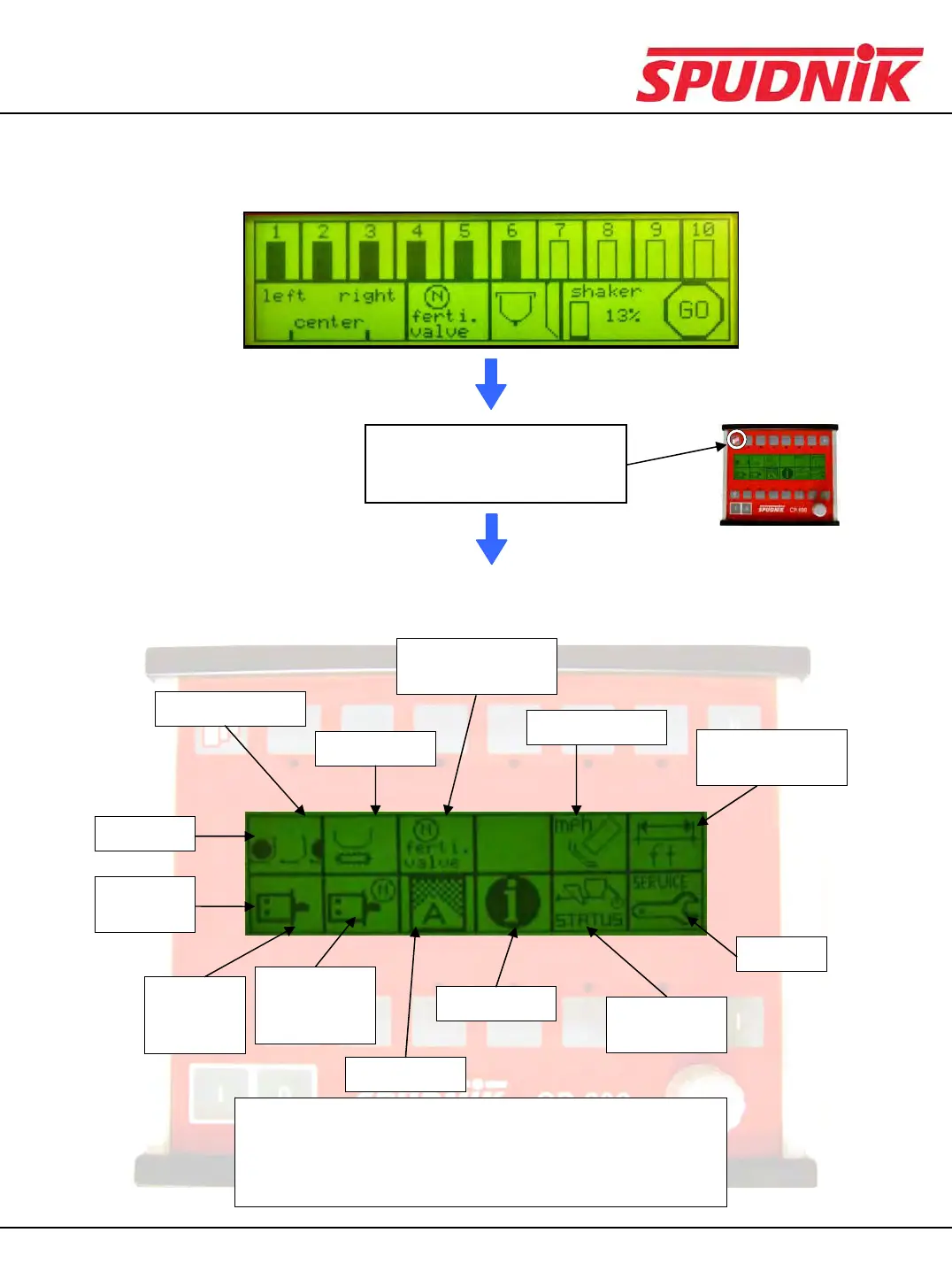
Moving from Default Screen to Main Menu
Default Screen
While in the Default Screen,
press the Menu Layers button
once to go to the main menu.
Main Menu
Fertilizer Valve
Calibration
Seed Spacing
Distance
Measurements
Feed Chain
Skip Detection
Top Row
Bottom
Row
Service
Acre Meter
Information
Status/
Diagnostics
Row Unit
Hydraulic
Drive
From the Main menu, each screen icon may be chosen by
pressing the function key that is directly above the icon (for
the top row) or below the icon (for the bottom row).
(see: Buttons and Functions)
Fertilizer
Hydraulic
Drive
CP600 CONTROL BOX



 To Next Page