Operators manual MODEL 80XX Planter
page 30 of 173
Feed Chain
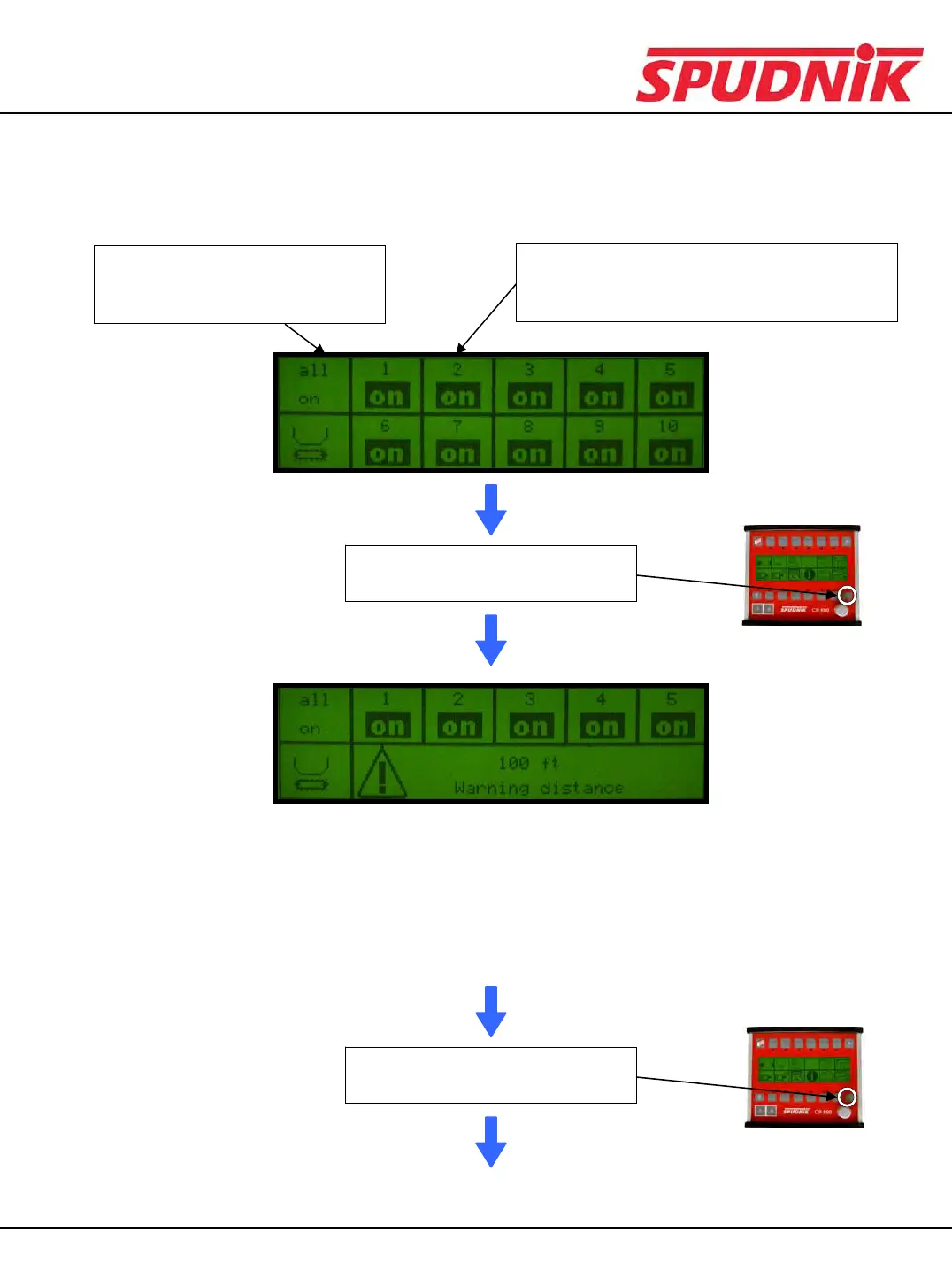
After choosing the Feed Chain icon, you will see this display:
If one or more of the seed chains
are OFF, by choosing this icon,
all feed chains will switch to ON.
By pressing the function button directly above
the feed chain icon, you will control whether
that chain is ON or OFF.
Press the scroll down button once
to view the next display
Press the scroll down button once
to view the next display
(Continued on the next page)
This screen is not used.
CP600 CONTROL BOX



 To Next Page