EasyManua.ls Logo

SPX Radiodetection RD8200 - 4.2 Power on off; 4.3 Keypad actions shortcuts

SPX Radiodetection RD8200
68 pages
Print Icon
To Next Page IconTo Next Page
To Previous Page IconTo Previous Page
Loading...
© 2021 Radiodetection Ltd 14
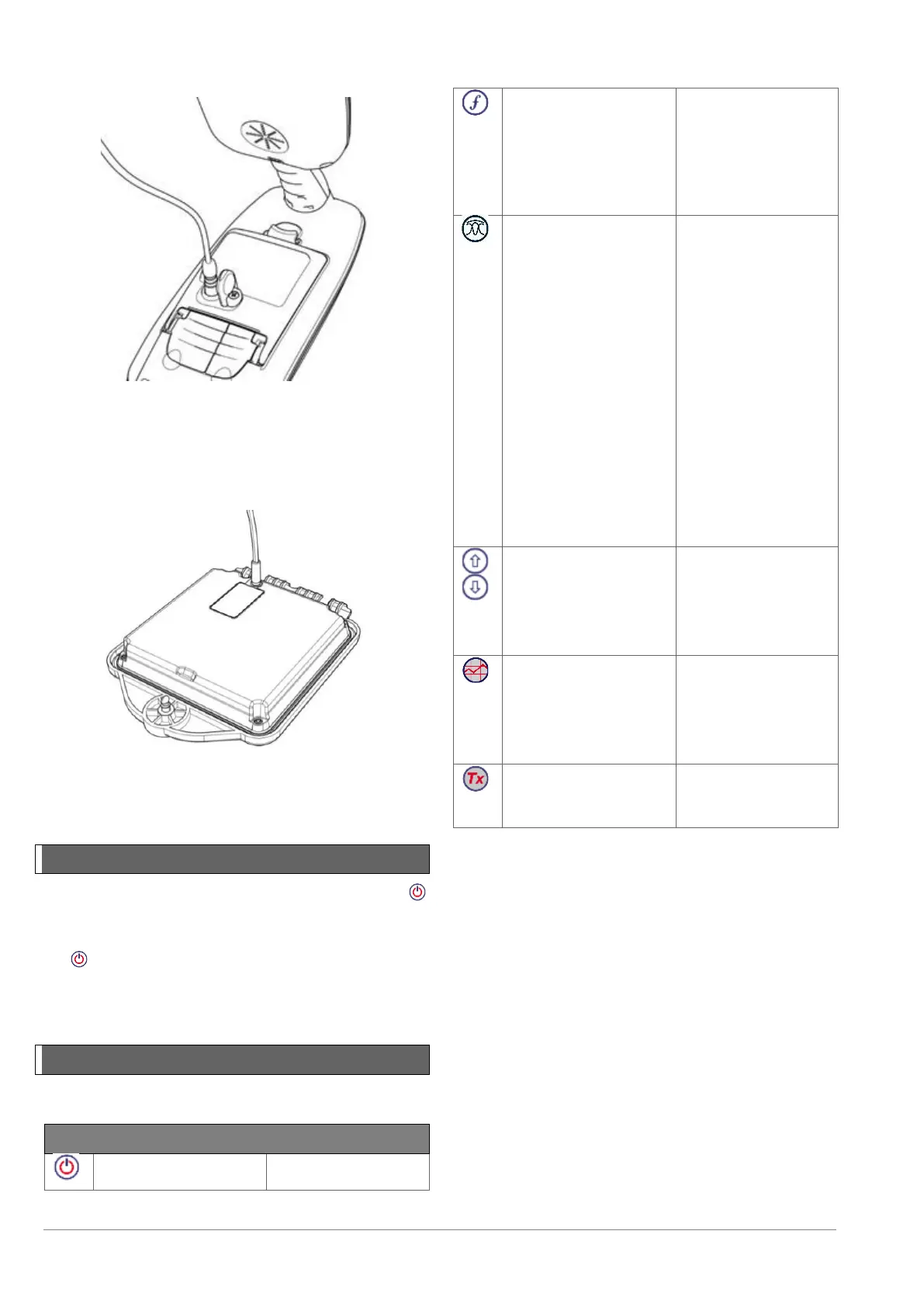
Transmitter Li-ion battery pack
To recharge the battery pack, remove the pack from the
transmitter and connect the transmitter battery charger.
Figure 4.13 Charging the transmitter Li-Ion battery pack
For more information about recharging batteries refer to
the instructions that came with your charger
4.2 Power on / off
Switch the locator or transmitter on by pressing the
key.
To switch the locator or transmitter off, press and hold
the key until the screen blanks off.
NOTE: The locator will automatically power off after 5
minutes if no keys are pressed.
4.3 Keypad actions & shortcuts
Locator key actions

Key
Short press
Long press
Enter the menu
Switch power off
Scroll through locate
frequencies from low
to high
In active locating:
SideStep (see ‘iLOC
section)
When using Current
Direction™:
Perform a CD Reset
When using active
frequencies:
Toggle Peak, Peak+,
Null, Broad Peak and
Guidance antenna
modes.
In Power Mode:
scroll through Power
Filters™ for improved
discrimination of
parallel or strong
power signals
In UTIL mode: Scroll
through a list of
utilities: GAS, TEL,
SEW, TMA, H2O,
PWR, EXL, IRR, CTV.
In Peak+ antenna
mode:
Switch between
Guidance and Null
arrows
Increase and
decrease gain.
RD8200 automatically
sets gain to mid-point
when pressed
Rapidly increase and
decrease gain steps
in 1dB increments
Take a survey
measurement and
send over Bluetooth if
paired
Switch between
utilities whilst in UTIL
mode.
Send an iLOC
command to a paired
transmitter
Enter the transmitter
power setting menu
for use over iLOC
Table 4.1: Locator key actions
Figure 4.12 Charging the locator Li-ion battery pack

Table of Contents

Other manuals for SPX Radiodetection RD8200

Related product manuals