5
SPYPOINT APP
Follow these steps:
1. On Google Play
TM
or the App Store
TM
, search for "SPYPOINT app."
2. Download and install the app on your smartphone or tablet.
3. Start the app. Select "ACTIVATE A DEVICE." In the list, select "CELL-LINK"
then follow the steps.
4. When complete, a conrmation email will be sent to you with a generated password.
5. Log in to the SPYPOINT app using your email and password.
ACTIVATING YOUR CELL-LINK
You must activate your CELL-LINK via the free "SPYPOINT app"
or SPYPOINT website under the MY ACCOUNT section.
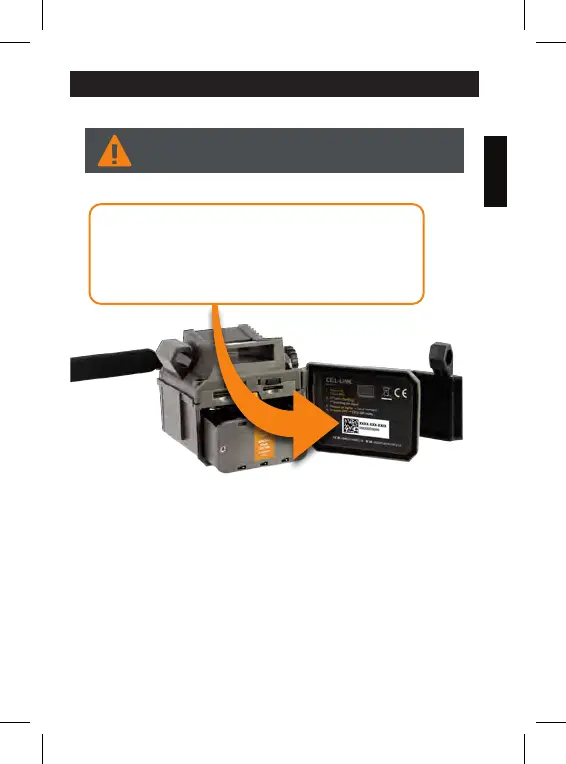
FINDING THE ACTIVATION CODE
The activation code is located inside the CELL-LINK battery
compartment door. You will need this unique code to activate
the CELL-LINK.















 To Next Page