Model SR555 Stand-On Scale
Operating and Service Manual - S/N 1800+
Part No. MAN555_060829 Page 11 of 18
SInstruments, Inc., 600 Young Street, Tonawanda, NY 14150
Tel: 716-693-5977 Fax: 716-693-5854 URL: www.srscales.com
email: sri@srinstruments.com Copyright 2006 SInstruments, Inc.
BASIC SYSTEM OPERATION cont’d
CONTINUOUS WEIGH
In this default mode, the weighing surface remains active. Press the “HOLD” button once to lock
the displayed reading and store it in memory as the “last weight” for recall later if needed.
AUTO-HOLD
This mode is for patients unable to remain still for the weighing procedure. It locks, stores, and
displays the patient’s weight as soon as the “WEIGH” button is pressed once. Note: No weight
will be displayed until the button is pressed.
To enable this mode, BEFORE zeroing the system, press and hold the “HOLD” button for
approximately five (5) seconds until the display reads “AUTO-HOLD ENABLED”.
To return to CONTINUOUS WEIGH mode when finished, press and hold the “HOLD” button for
approximately five (5) seconds until the display reads “CONTINUOUS WEIGH”.
BATTERY REPLACEMENT
STEP 1: The display will read “CHANGE BATTERIES”.
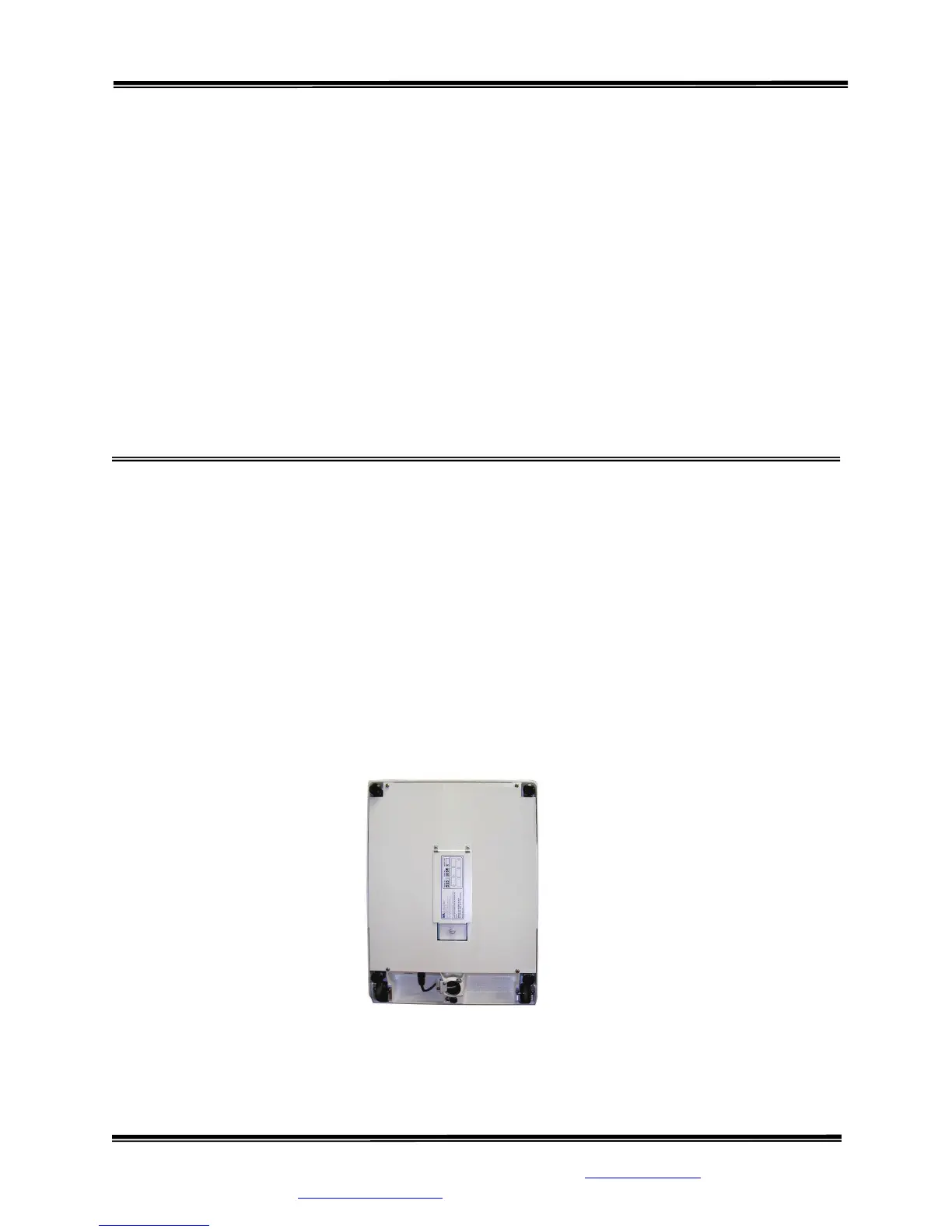
STEP 2: (Figure 5) Place the scale on its side and open the battery compartment cover located in
the bottom of the scale base.
STEP 3: Remove and replace ALL six (6) “C” cell batteries. Refer to diagram on the battery
compartment cover for placement.
STEP 4: Press the “WEIGH” button to confirm display is working.
STEP 5: Tightly close the cover.
STEP 6: Zero the system.
Figure 6: Bottom of Scale Base



 To Next Page