2 Evaluation environment setup
The evaluation environment consists of:
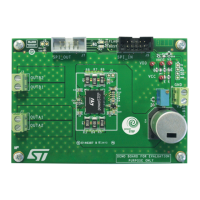
• One or more EVLPOWERSTEP01.
• One STEVAL-PCC009V2 demonstration board.
• A USB cable.
• A stepper motor with a small mechanical load (unloaded stepper motors suffer of strong resonance issues).
• A power supply with an output voltage within the operative range of the demonstration board.
• A Windows® 7 or Windows XP PC with a free USB port.
• The SPINFamily evaluation tool (the last version can be downloaded from www.st.com).
In order to start using the evaluation environment the following steps are required:
1. Install the SPINFamily evaluation tool.
2. Start the SPINFamily evaluation tool (by default it is in [Start menu]>[All
programs]>[STMicroelectronics]>[SPINFamily Evaluation Tool]).
3. Select the proper device when requested by the application.
4. Plug the STEVAL-PCC009V2 demonstration board to a free USB port.
5. Wait a few seconds for board initialization.
6. Connect the SPI_IN connector (black) of the demonstration board to the 10-pin connector of the STEVAL-
PCC009V2 board using the provided cable. For connecting more devices to the same board, please consult
the daisy chain connection section (Section 6 ).
7. Power-up the demonstration boards. The FLAG LED should turn on.
8. Click on the button with the USB symbol to connect the STEVAL-PCC009V2 board to the PC and initialize
the evaluation environment. The application automatically identifies the number of demonstration boards
connected.
9. The evaluation environment is ready.
Before start working with the demonstration board, the device must be configured according to the indications
described in Section 3 .
Important: The device configuration is mandatory; the default configuration is not operative.
UM1829
Evaluation environment setup
UM1829 - Rev 2
page 8/21






 To Next Page